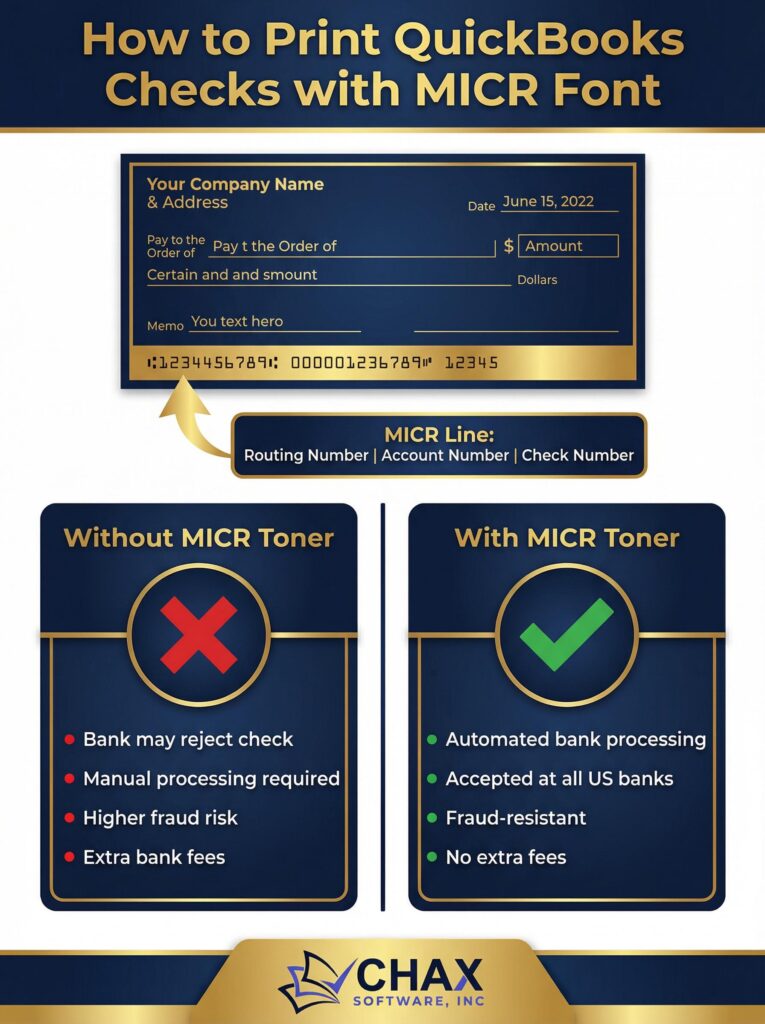
Printing QuickBooks checks without MICR toner is a costly mistake. Learn why MICR is required for bank compliance and how to set it up correctly with MultiCHAX.
Category Archives: QuickBooks Desktop

Blog News QuickBooks
Top 15 Benefits of Check Printing Software – Print Checks on Demand
Top 15 Advantages of Using Check Printing Software – Print Checks on Demand In today’s [...]
Continue reading
11
Jan
Jan

Online Blog QuickBooks
How to Print Paychecks in QuickBooks Online
To print payroll checks (paychecks) from QuickBooks Online, you will need the following requirements: Firefox [...]
Continue reading
24
Feb
Feb

Blog News QuickBooks
Blank Check Stock vs. Pre-Printed: Why it’s better to Print Your Own Checks
Pre-printed check stock has become a tradition. Many businesses and private individuals use it without [...]
Continue reading
10
Feb
Feb
01
Apr
Apr
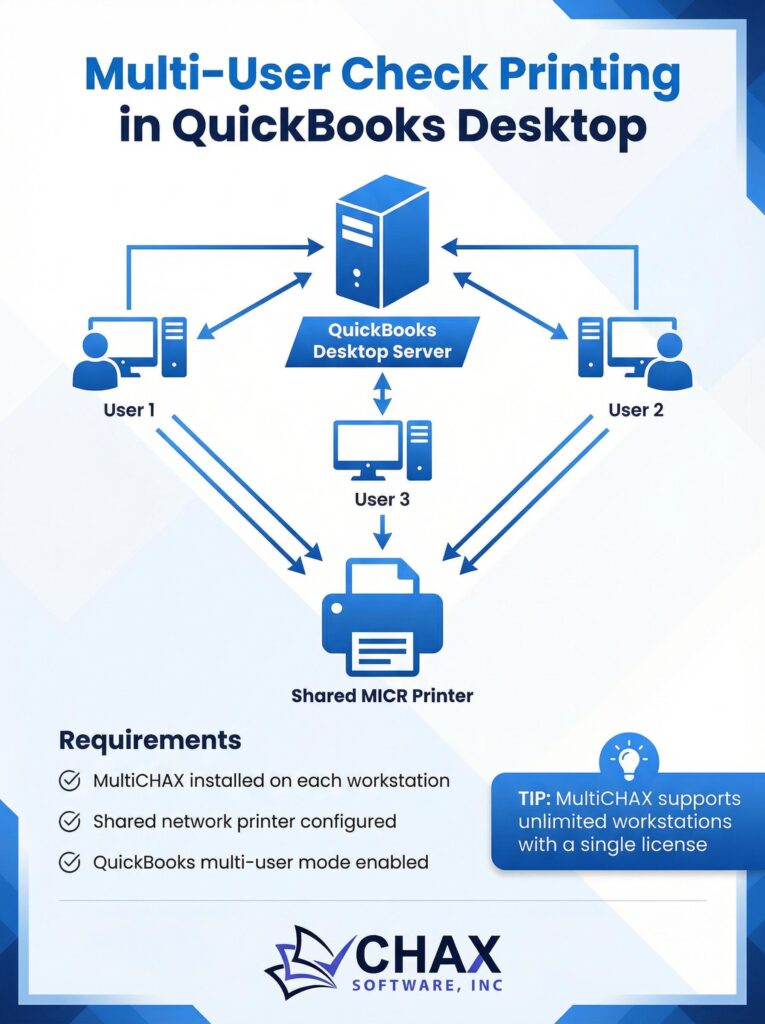
Set up check printing across multiple workstations in QuickBooks Desktop. This step-by-step guide covers everything from network printer configuration to MultiCHAX installation.
31
Mar
Mar
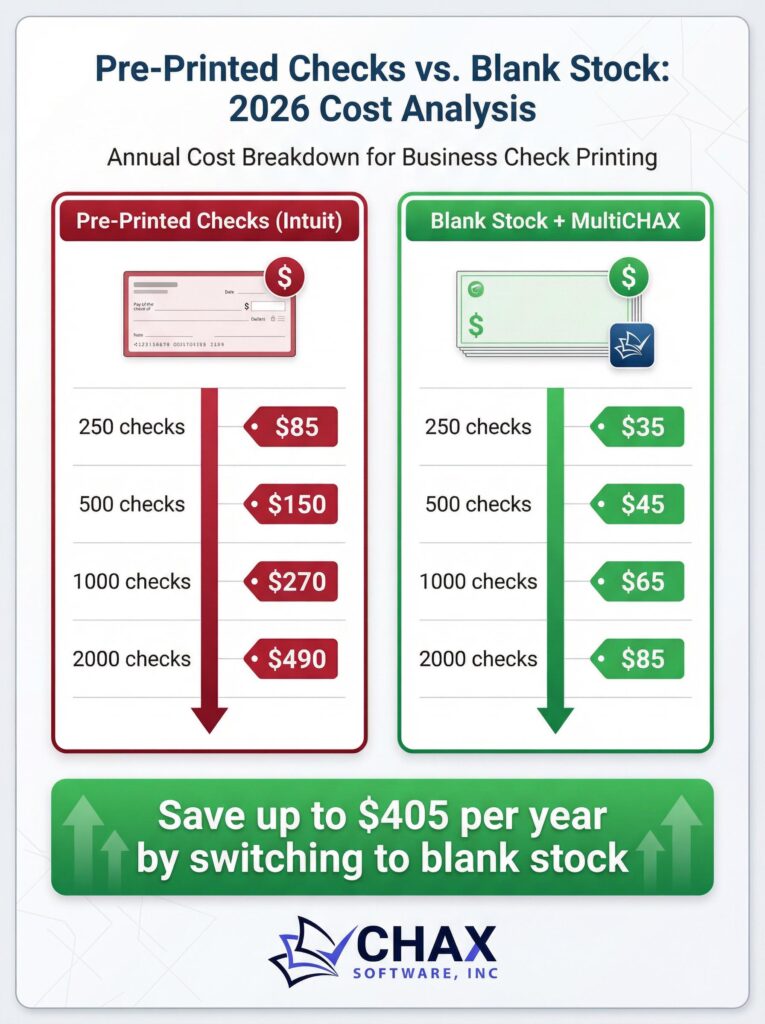
A detailed 2026 cost analysis comparing Intuit pre-printed checks vs. blank check stock with MultiCHAX. See how much your business can save by making the switch.
31
Mar
Mar
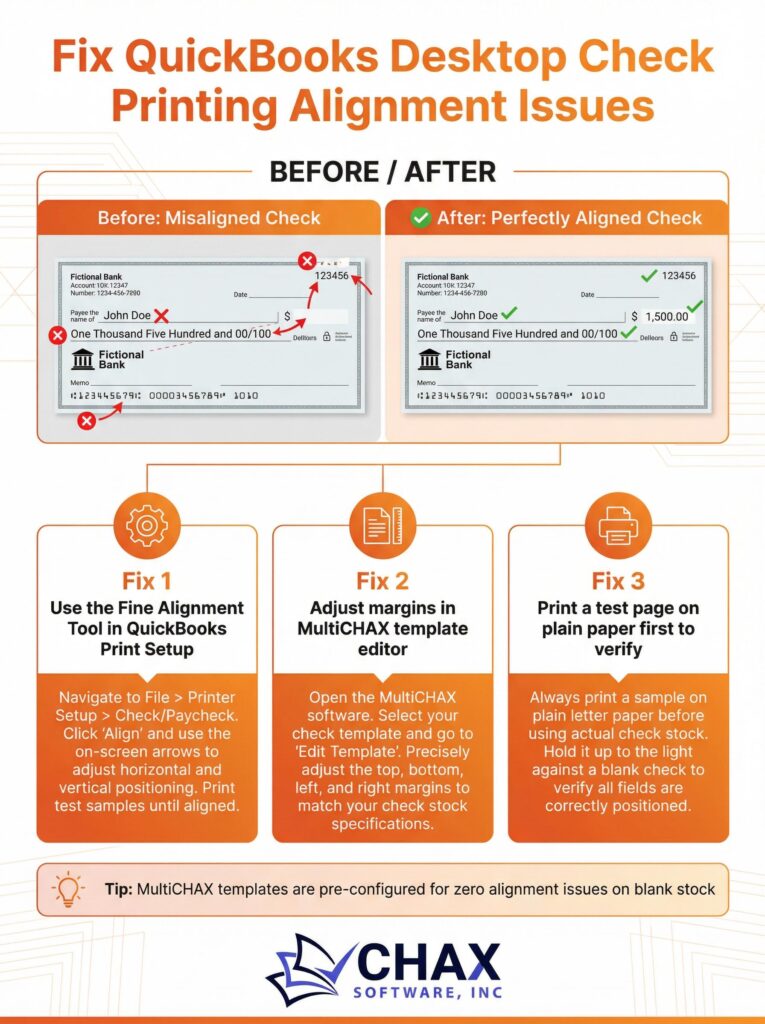
Struggling with misaligned checks in QuickBooks Desktop? This guide shows you exactly how to fix alignment issues once and for all using MultiCHAX’s pre-configured templates.
30
Mar
Mar
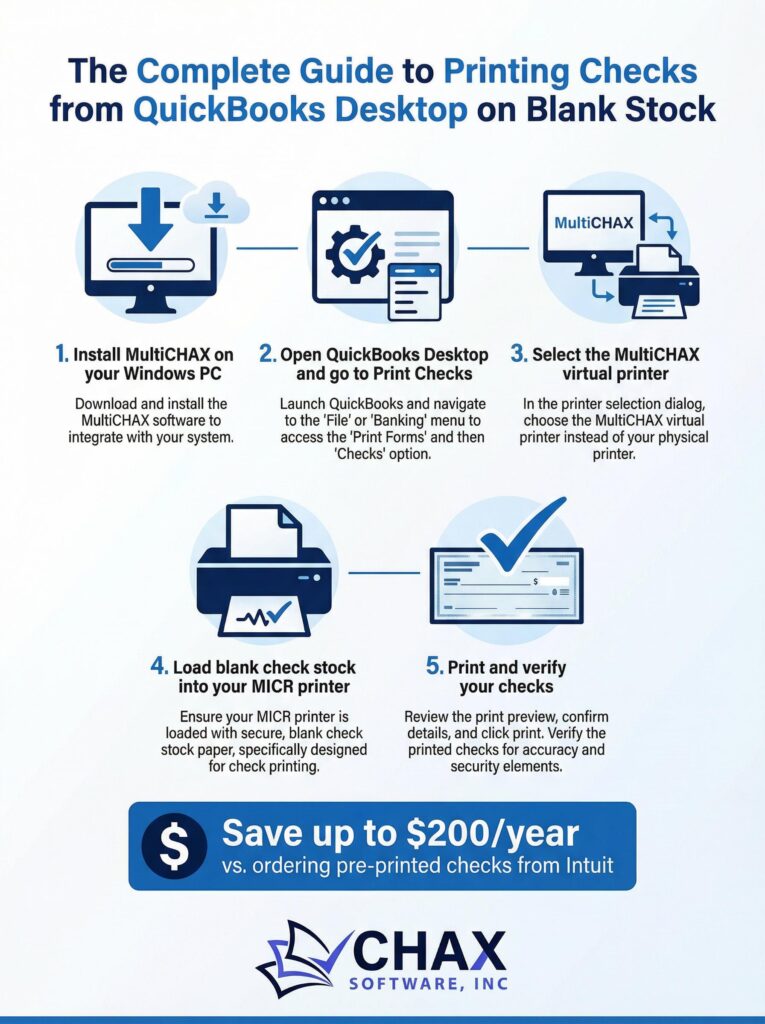
Learn how to print professional, bank-compliant checks from QuickBooks Desktop on blank check stock using MultiCHAX. Save up to $200/year vs. ordering pre-printed checks from Intuit.
02
Mar
Mar
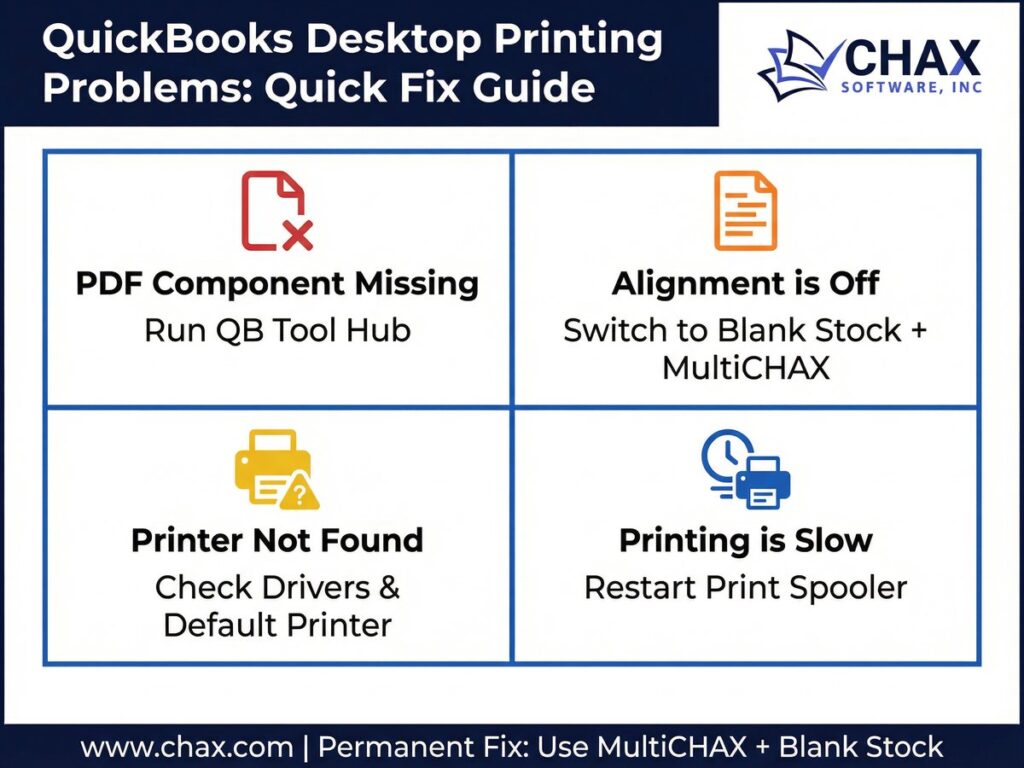
Fixing the most common QuickBooks Desktop check printing errors — PDF component missing, alignment issues, printer not found, and slow printing — with step-by-step solutions.
02
Mar
Mar
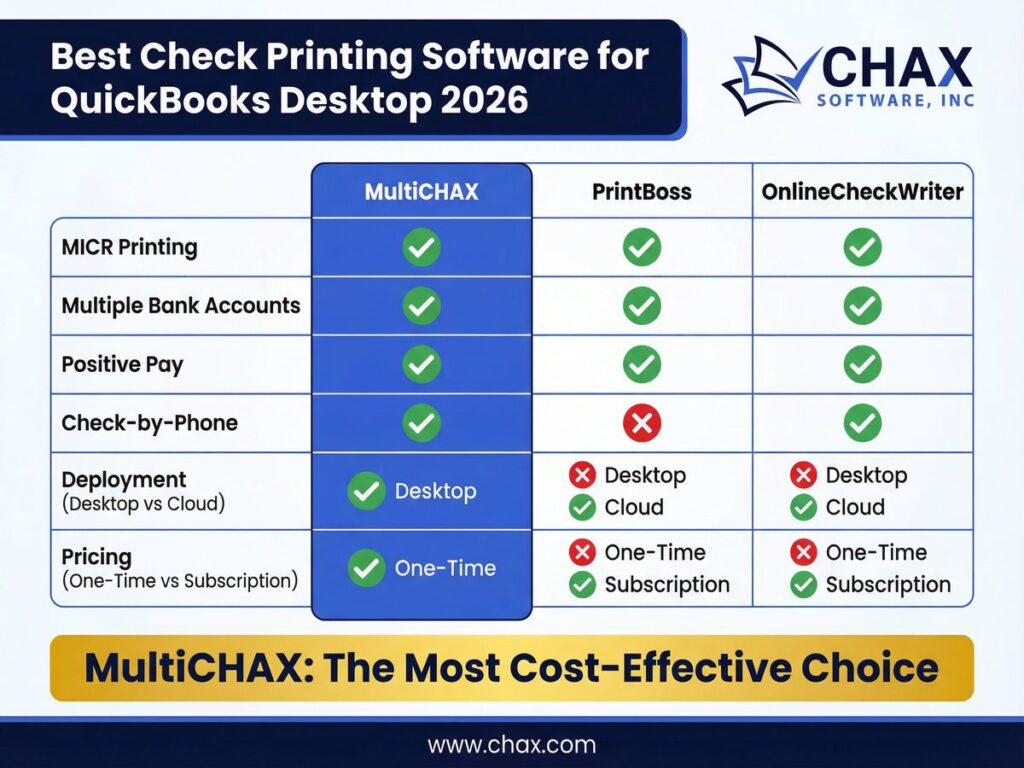
Comparing the top check printing software options for QuickBooks Desktop in 2026 — MultiCHAX, PrintBoss, and OnlineCheckWriter — to help you choose the right tool for your business.
02
Mar
Mar
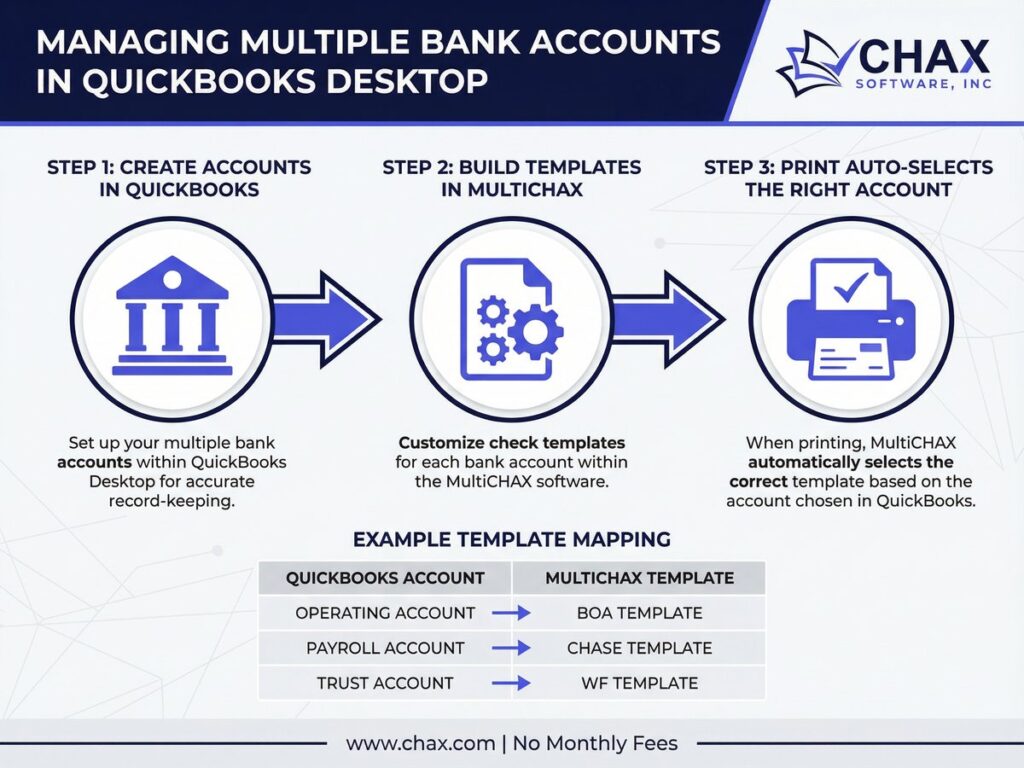
Learn how to configure multiple bank accounts in QuickBooks Desktop and use MultiCHAX to automatically print the correct check for each account — no manual switching required.