NOTE: The following instructions assumes that you will be using the default built-in FORM templates of Peachtree (Sage 50). To use custom forms, please contact CHAX, INC. technical support for assistance. Configure MultiCHAX – Sage 50 – Peachtree Setup: Open Sage 50 Accounting (Peachtree Accounting) Select the REPORTS & FORMS > FORMS > CHECKS (alternatively, this works with PAYROLL CHECKS too) Using one of the […]
Category Archives: Blog
CHAX Blog – relevant content, news, tips, and tricks related to check printing, debt collection, accounting, and bookkeeping.

Blog News QuickBooks
Top 15 Benefits of Check Printing Software – Print Checks on Demand
Top 15 Advantages of Using Check Printing Software – Print Checks on Demand In today’s [...]
Continue reading
11
Jan
Jan

Online Blog QuickBooks
How to Print Paychecks in QuickBooks Online
To print payroll checks (paychecks) from QuickBooks Online, you will need the following requirements: Firefox [...]
Continue reading
24
Feb
Feb

Blog News QuickBooks
Blank Check Stock vs. Pre-Printed: Why it’s better to Print Your Own Checks
Pre-printed check stock has become a tradition. Many businesses and private individuals use it without [...]
Continue reading
10
Feb
Feb
13
Apr
Apr
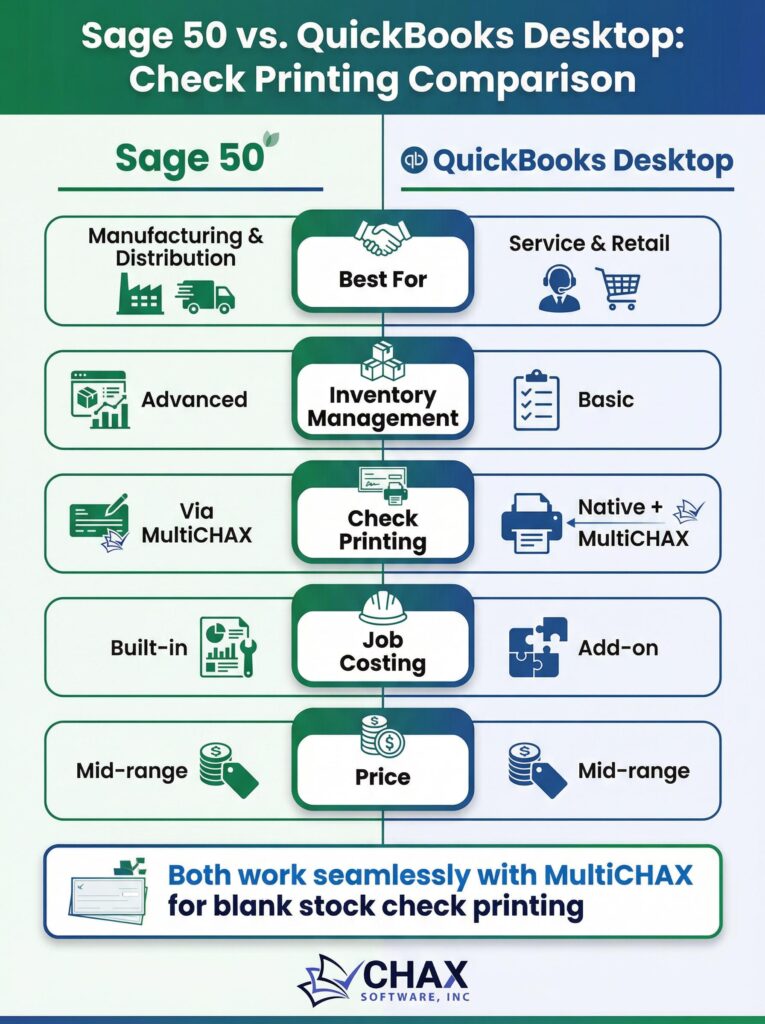
Sage 50 and QuickBooks Desktop both serve the manufacturing and distribution sectors — but which is better for check printing? We compare both platforms head-to-head.
10
Apr
Apr
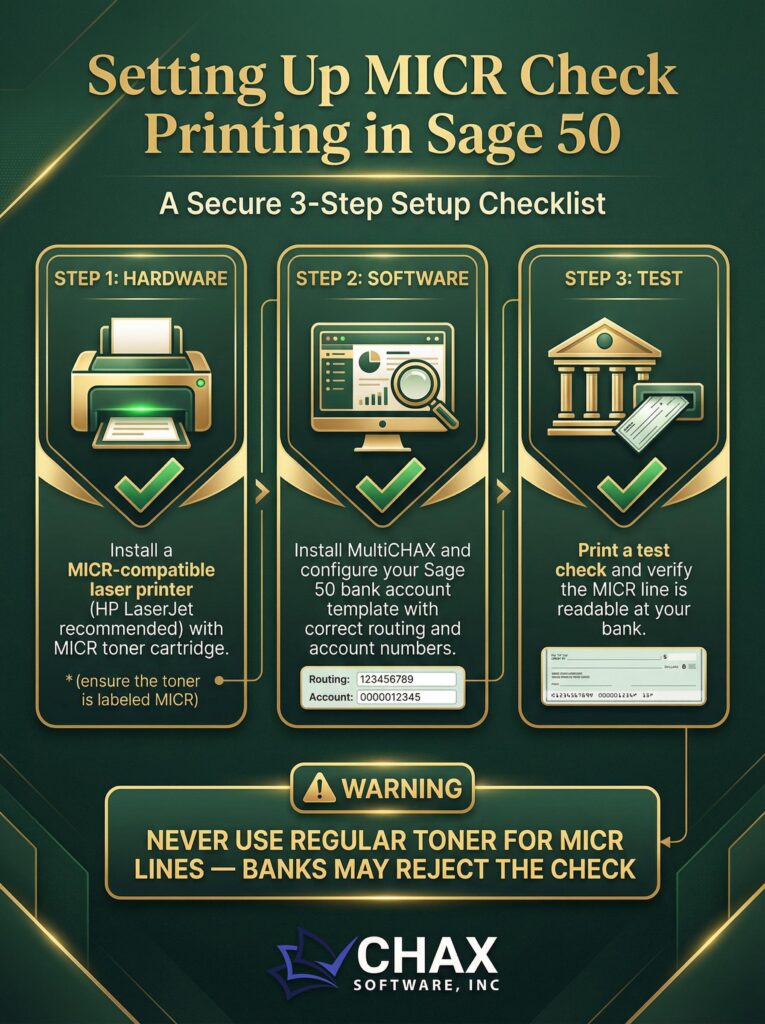
Setting up MICR check printing in Sage 50 requires the right hardware, software, and configuration. This guide covers everything you need to print bank-compliant checks.
10
Apr
Apr
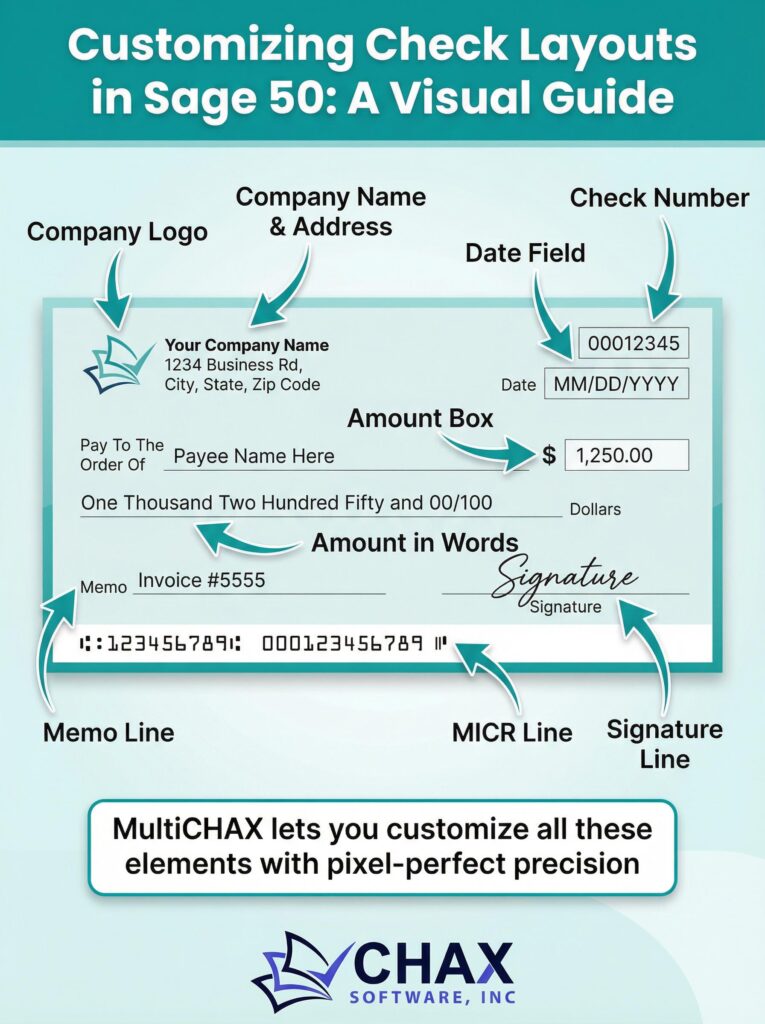
Sage 50’s built-in check layout editor is limited. Learn how to use MultiCHAX to create fully customized check templates with your logo, signature, and precise field positioning.
09
Apr
Apr
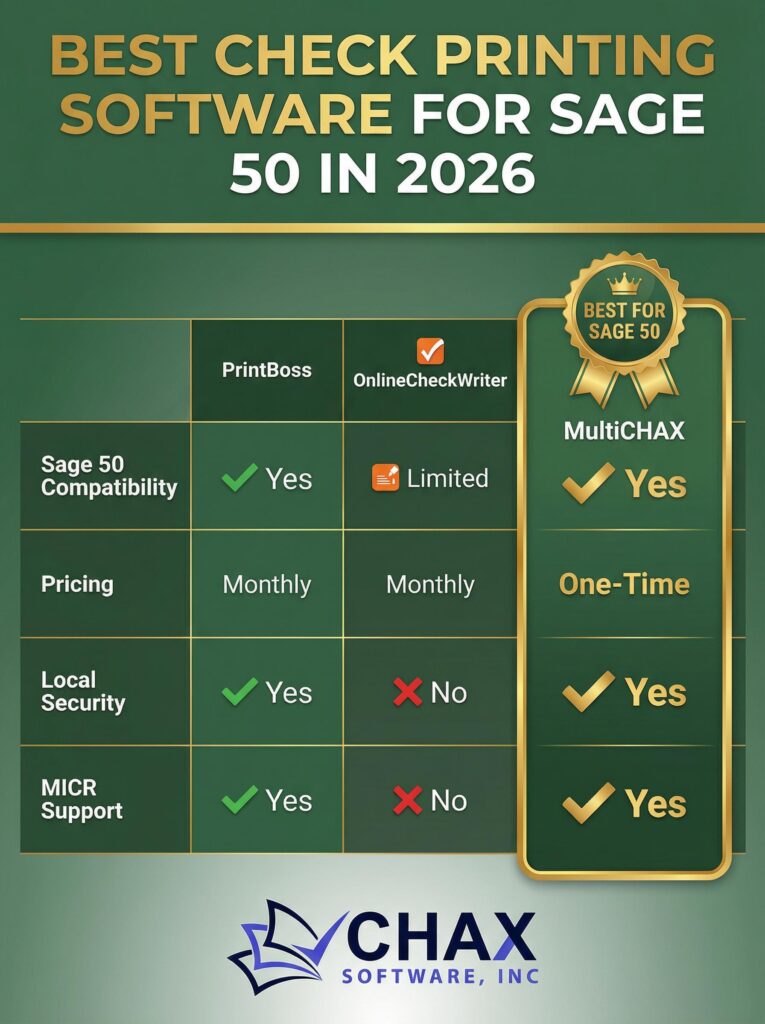
Comparing the top check printing software options for Sage 50 in 2026. See why MultiCHAX is the preferred choice for Sage 50 users who need full MICR support and no monthly fees.
09
Apr
Apr
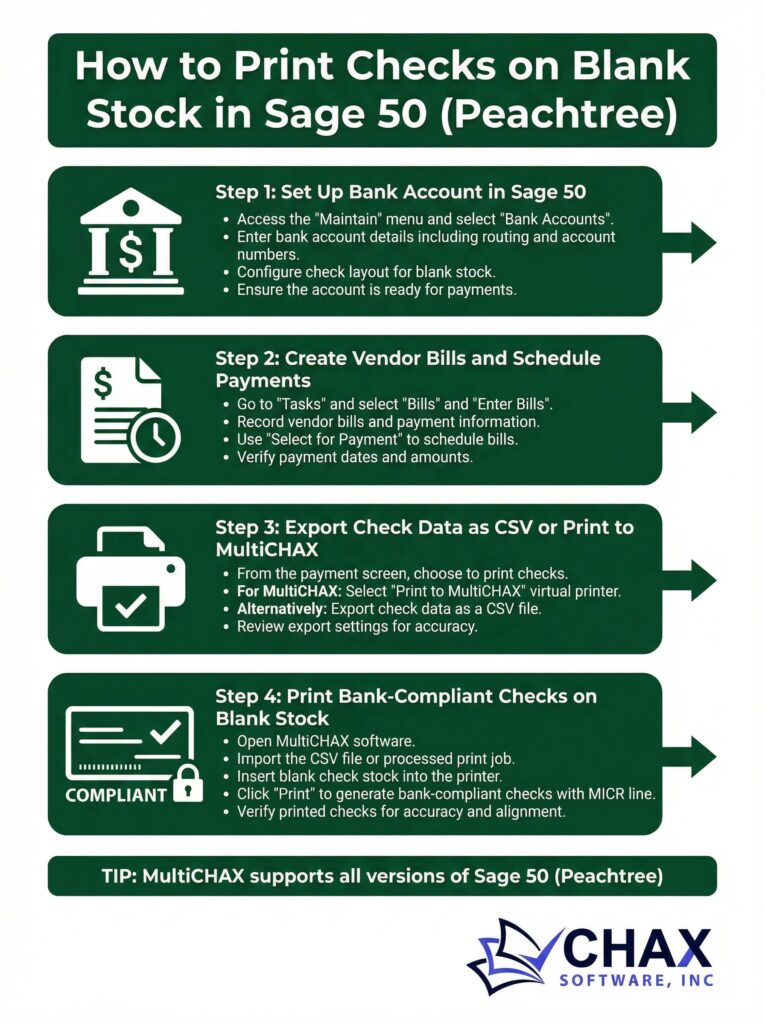
Learn how to print professional, bank-compliant checks on blank stock directly from Sage 50 (formerly Peachtree) using MultiCHAX. Step-by-step setup guide included.
08
Apr
Apr
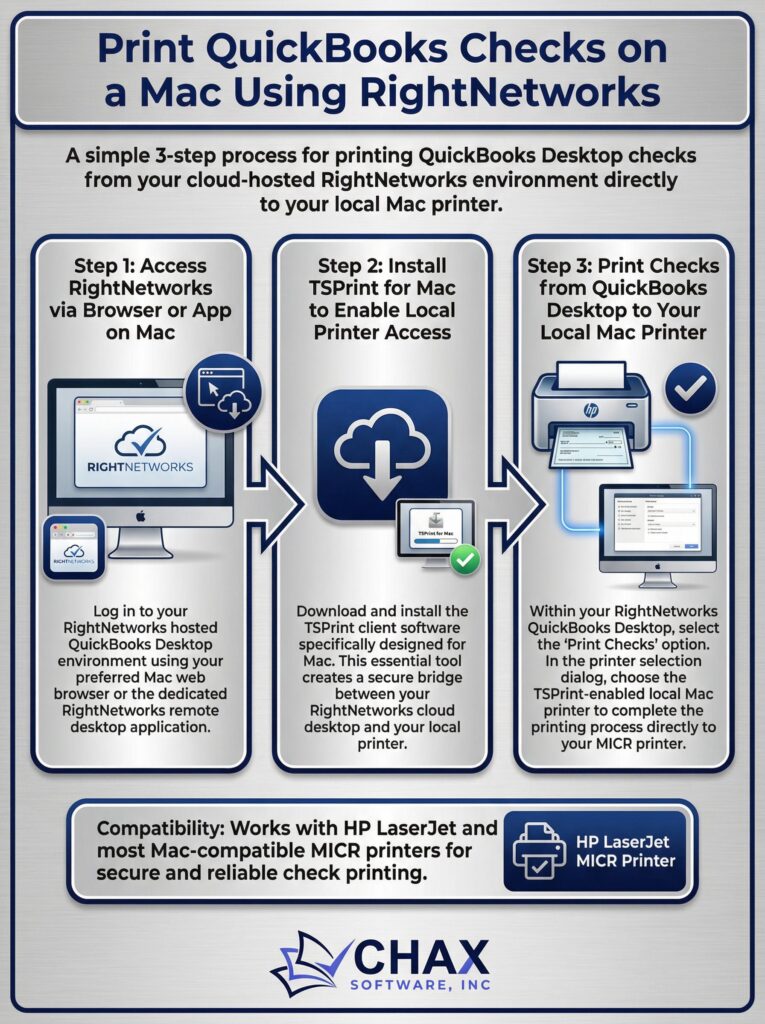
QuickBooks Desktop doesn’t run natively on Mac — but RightNetworks does. Learn how to print checks from QuickBooks on your Mac using RightNetworks and TSPrint.
08
Apr
Apr
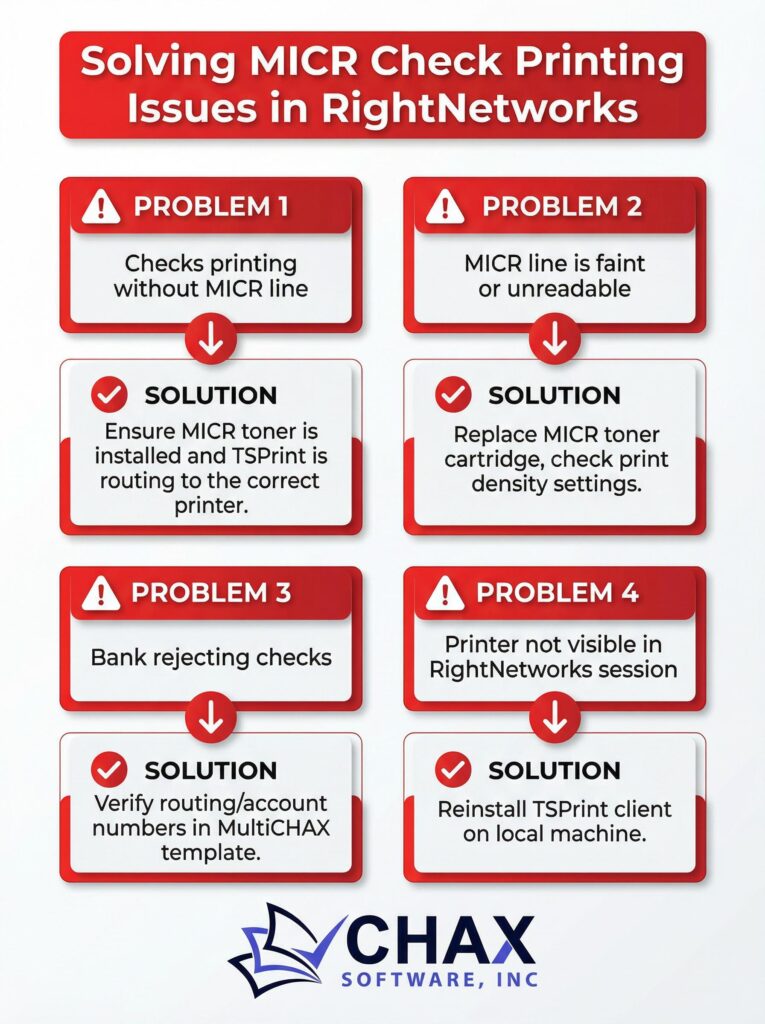
MICR check printing issues in RightNetworks are common but fixable. This troubleshooting guide covers the four most common problems and their solutions.
07
Apr
Apr
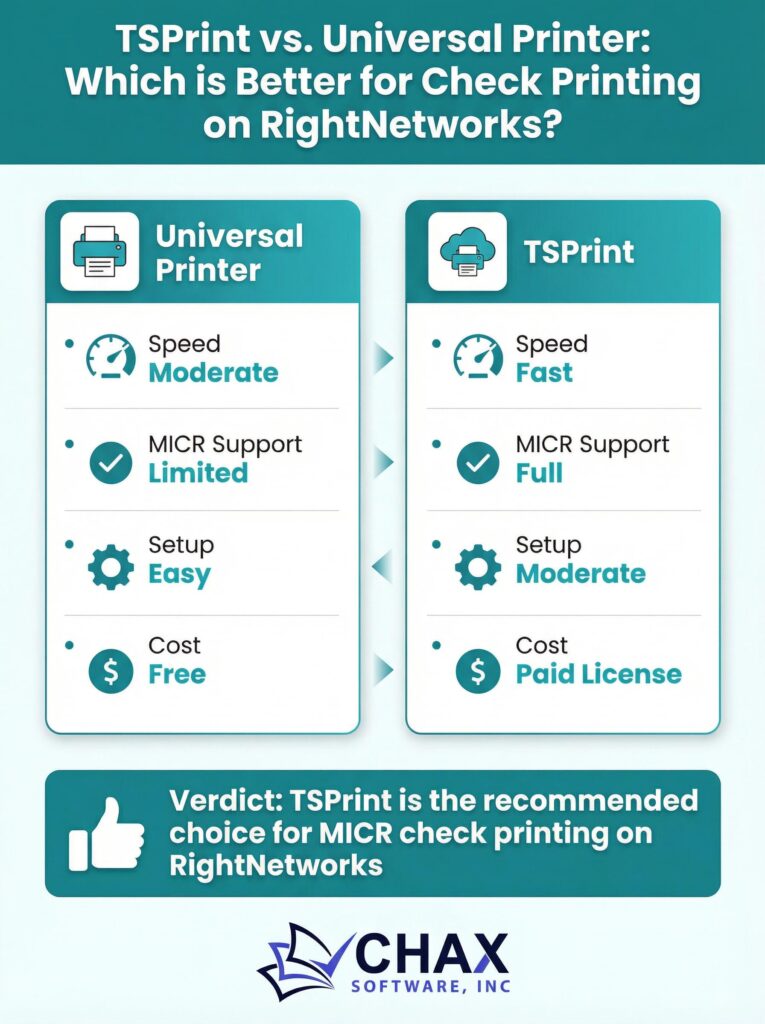
Choosing between TSPrint and Universal Printer for check printing on RightNetworks? We compare both options for MICR compatibility, speed, and ease of setup.
07
Apr
Apr
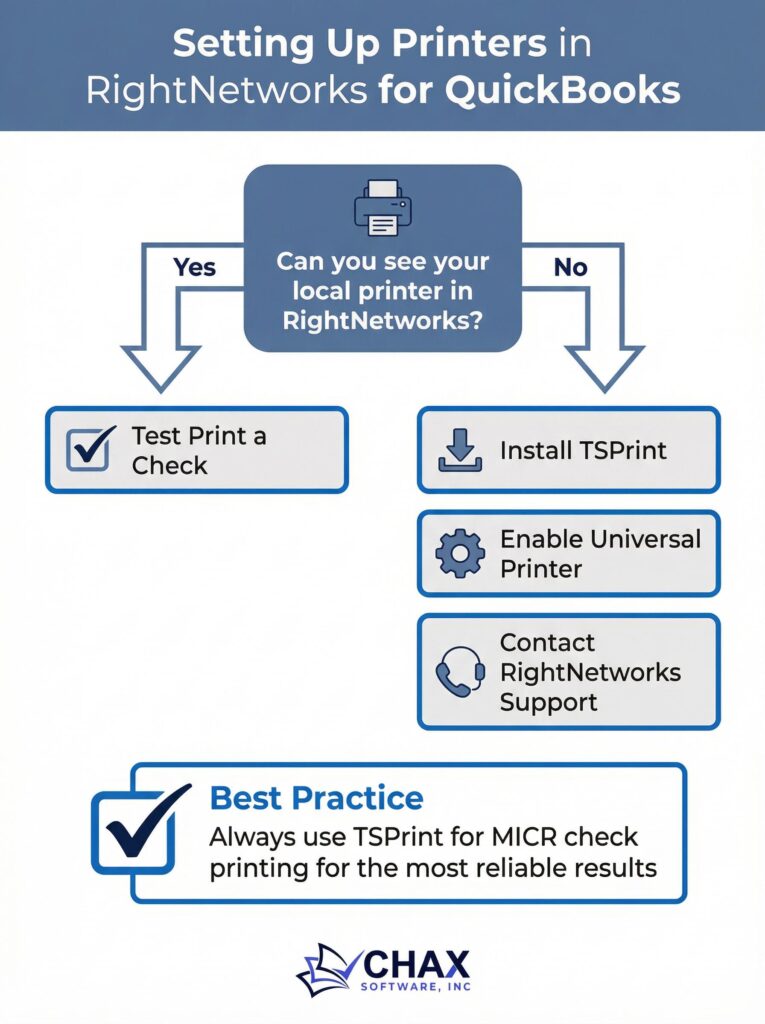
Can’t see your local printer in your RightNetworks session? This guide covers every method for connecting your local printer to RightNetworks for check printing.
06
Apr
Apr
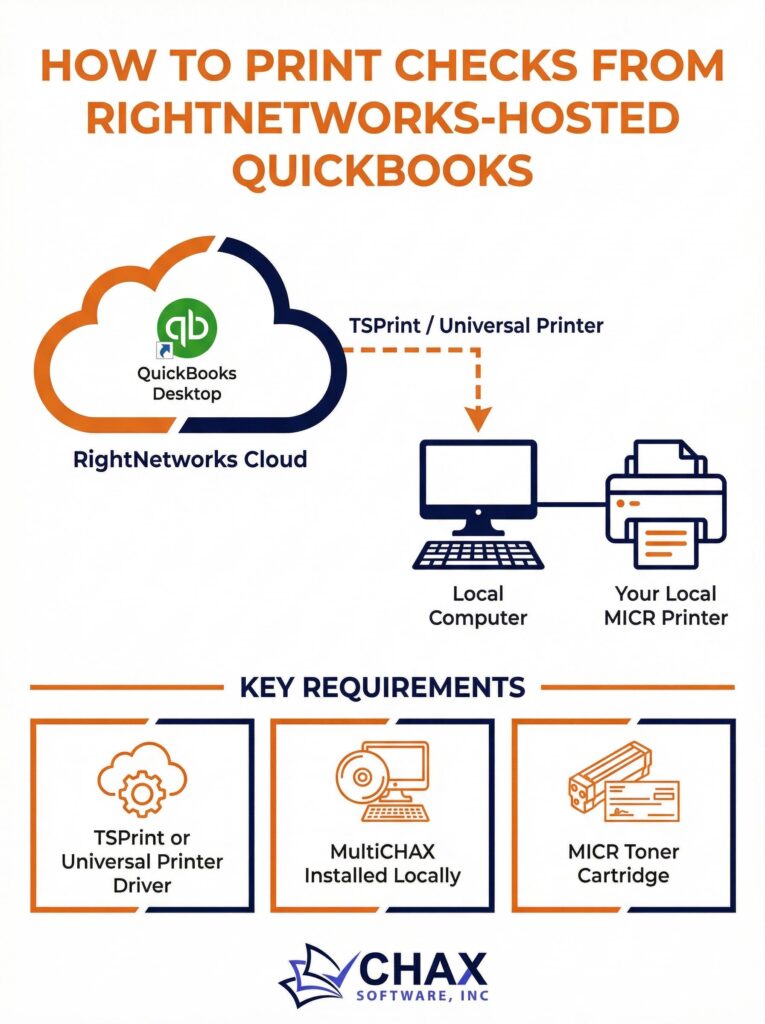
Printing checks from a RightNetworks-hosted QuickBooks environment requires a specific setup. This guide walks you through every step to get MultiCHAX working with your hosted instance.
06
Apr
Apr
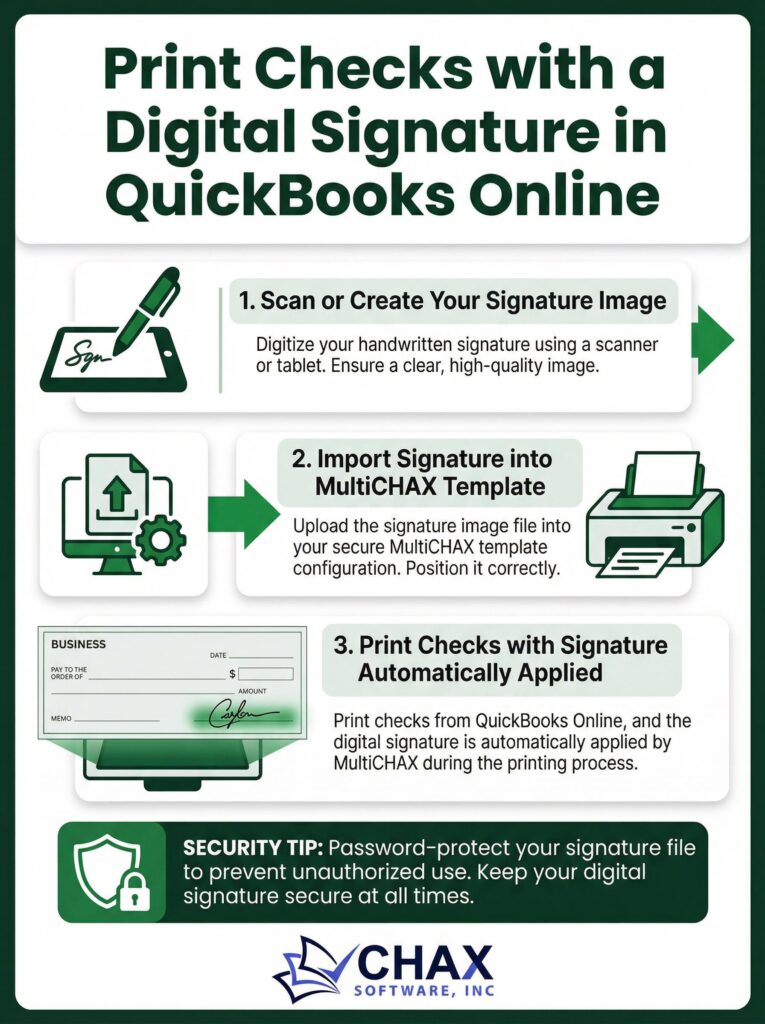
Eliminate the manual signature step by printing checks with a digital signature directly from QuickBooks Online using MultiCHAX. Here’s how to set it up securely.
03
Apr
Apr
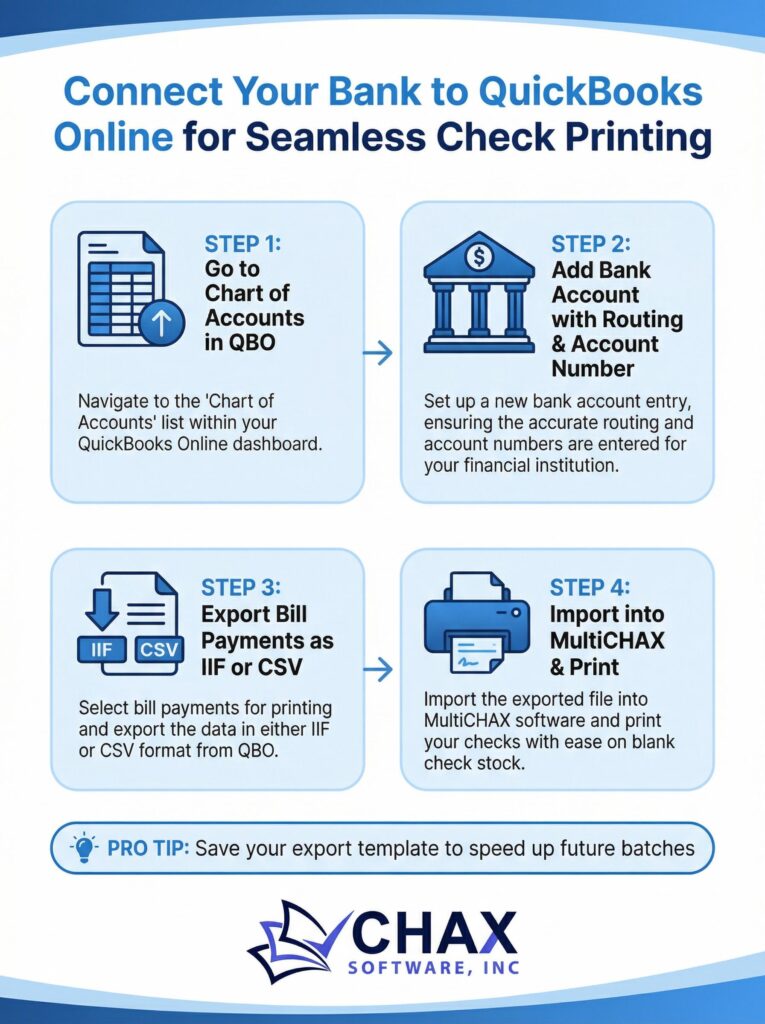
Learn how to connect your bank account to QuickBooks Online and set up a seamless check printing workflow with MultiCHAX for faster, more accurate vendor payments.
03
Apr
Apr
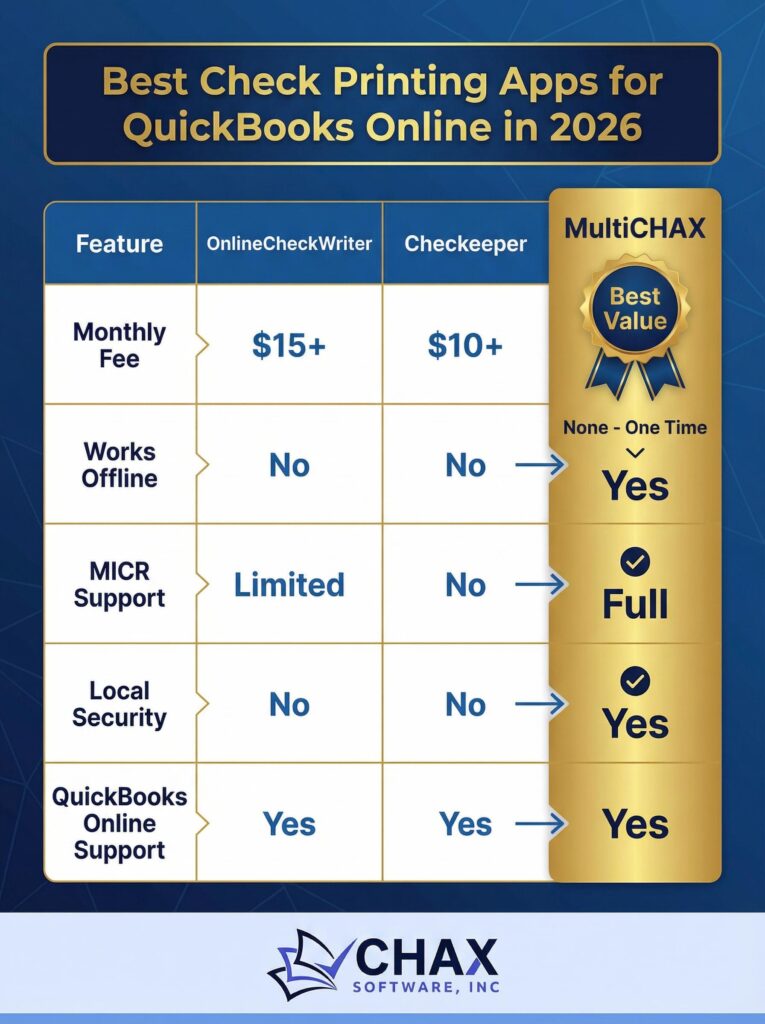
Comparing the top check printing apps for QuickBooks Online in 2026: MultiCHAX vs. OnlineCheckWriter vs. Checkeeper. See which offers the best value, security, and features.
02
Apr
Apr
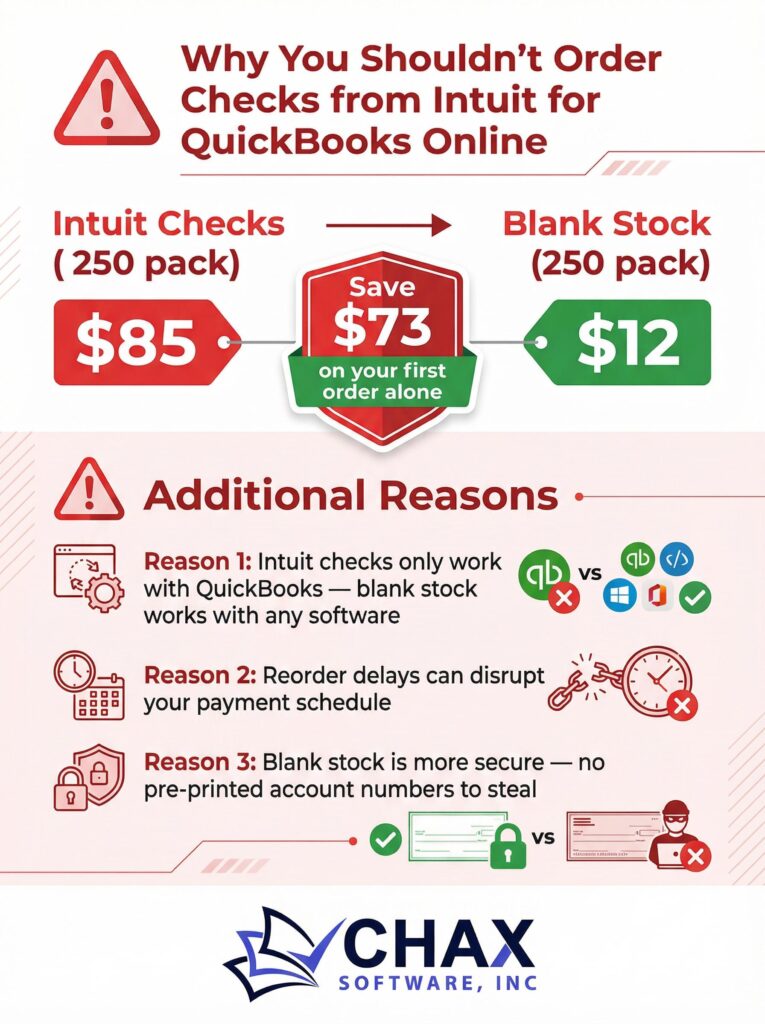
Intuit charges $85+ for 250 checks. Blank check stock costs $12 for the same quantity. Here’s why you should stop ordering from Intuit and switch to blank stock with MultiCHAX.