
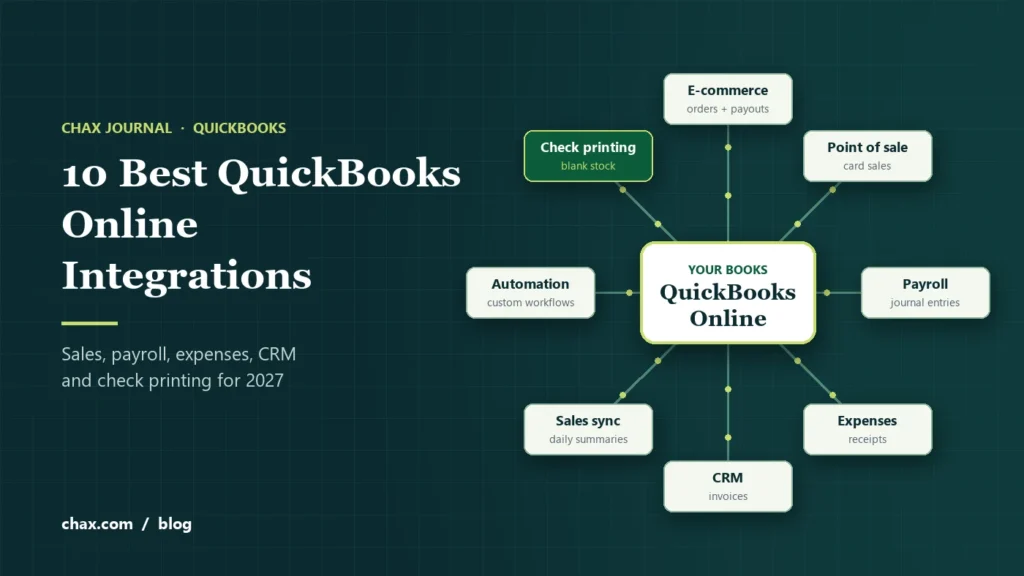
The best QuickBooks Online integrations connect the tools where money comes in and goes out, so transactions reach your books without retyping. For most small businesses that means a sales channel (Shopify or Square), payroll (Gusto), expenses (Expensify), bill pay (BILL), a CRM (HubSpot or Method CRM), a sync tool for busy stores (Synder) and Zapier for everything else.
Find apps in the QuickBooks App Store or in the Apps section of QuickBooks Online, connect with your Intuit sign-in, and test the sync before you rely on it.
From our own books: CHAX has run on QuickBooks Online for seven years, and the app marketplace is one of the main reasons we’ve stayed. Five of the integrations on this list are ones we use every day:
- Shopify for our check and supply store
- Synder to sync sales into QuickBooks
- Gusto for payroll
- MultiCHAX to print our own checks
- Zapier for automations between our other apps
Read our full QuickBooks Online review.
The 10 best QuickBooks Online integrations for 2027 at a glance
| App | Category | Best for | What reaches QuickBooks |
|---|---|---|---|
| Shopify We use it | E-commerce | Online stores | Orders, payouts, fees, refunds |
| Square | Point of sale | Retail, restaurants, services | Sales, fees, deposits |
| Gusto We use it | Payroll and HR | Teams that want payroll outside QuickBooks | Payroll journal entries |
| Expensify | Expenses | Receipts and employee reimbursements | Expenses, receipt images, card transactions |
| BILL | Payables and receivables | Approving and paying vendor bills | Bills, payments, vendors, invoices |
| HubSpot | CRM and marketing | Sales teams that invoice from a CRM | Customers, products, invoices |
| Method CRM | CRM | Businesses that live in QuickBooks | Customers, estimates, invoices, payments |
| Synder We use it | Sales sync | High-volume stores and multiple channels | Summarized or per-order sales and fees |
| Zapier We use it | Automation | Connecting apps without a direct integration | Whatever your workflow sends |
| MultiCHAX We use it | Check printing | Printing QuickBooks Online checks on blank stock | Works alongside QuickBooks; nothing is written back |
The 10 integrations, by what they do
Shopify We use it
Intuit’s own connector, listed in the Shopify App Store as QuickBooks Online, brings Shopify orders, payouts and fees into QuickBooks Online. It’s the simplest option for smaller stores. Busier stores, or those selling on several channels, often use a dedicated sync app such as Synder, A2X or Webgility instead.
This is the integration we lean on most at CHAX, because our check and supply sales run through Shopify.
Square
Connects Square sales, fees and deposits to QuickBooks Online, so in-person card sales match what lands in your bank account. Useful for retail shops, cafes and service businesses that take payments on a Square terminal or app.
Gusto We use it
Gusto runs payroll, benefits and onboarding, and lists QuickBooks Online in its own app directory. After each payroll it can post the journal entries to QuickBooks, so wages, taxes and deductions land in the right accounts. It’s a common alternative to QuickBooks Payroll, and it’s what we use at CHAX: we run payroll and print paychecks in Gusto, and the integration sends the payroll data to QuickBooks.
Expensify
Employees snap receipts, Expensify reads them, and approved expenses sync to QuickBooks Online with the receipt attached. It also handles company card transactions and reimbursements, which cuts down on end-of-month chasing.
BILL
BILL (formerly Bill.com) handles accounts payable and receivable: it captures vendor bills, routes them for approval and pays them, then syncs bills, payments and vendors with QuickBooks Online. Useful when several people need to approve bills before they’re paid.
HubSpot
HubSpot’s QuickBooks Online integration lets sales teams create invoices from deals and see a customer’s payment status inside the CRM. A good fit when marketing and sales already run on HubSpot.
Method CRM
Built specifically around QuickBooks, Method syncs customers, estimates, invoices and payments both ways, and adds customer portals and workflows. A strong choice when QuickBooks is the center of your business.
Synder We use it
Synder pulls sales from stores and payment platforms such as Shopify, Stripe, PayPal and Amazon, and posts them to QuickBooks Online as individual transactions or daily summaries. It helps keep reconciliation clean when payouts mix sales, fees and refunds. We use Synder at CHAX alongside our Shopify store.
Zapier We use it
Zapier connects QuickBooks Online to thousands of apps without code. Use it to create a customer when a form is submitted, or post a message when an invoice is paid. It covers the gaps where no direct integration exists.
We use Zapier at CHAX for automations between our apps. Most are quick to set up, and Zapier’s AI builder makes it easier still: describe the workflow in plain English and it drafts the Zap for you to review.
MultiCHAX (from CHAX) We use it
QuickBooks Online prints checks on preprinted stock. MultiCHAX 11 lets you print them on blank check stock instead: save the checks from QuickBooks Online as a PDF, and MultiCHAX imports them, adds your MICR line, logo and signature, and prints them with their voucher stubs. It works alongside QuickBooks rather than syncing with it, so your QuickBooks records stay exactly as they are.
We print our own checks with it. See how MultiCHAX works with QuickBooks. Disclosure: we make MultiCHAX.
What to look for in a QuickBooks Online integration
- What syncs, and which way. One-way or two-way, and whether it posts every transaction or daily summaries.
- Plan requirements. Some integrations need features such as inventory or classes that only come with QuickBooks Online Plus or higher.
- Security. Connect through Intuit’s sign-in, and check what data the app can read and change.
- Reviews. Read recent reviews in the QuickBooks App Store, especially about sync errors and support.
- Support. A real support channel matters when a sync breaks at month-end.
- Room to grow. Order volume, extra channels and users can push you into a higher app tier.
How to connect an app to QuickBooks Online
- Find the app. Search the QuickBooks App Store or the Apps section inside QuickBooks Online. Many apps also start the connection from their own settings.
- Sign in with Intuit. Choose your company file and review the permissions the app is asking for.
- Map your accounts. Tell the app which income, expense, fee and clearing accounts to use, and how to handle tax.
- Test with a few transactions. Sync a small date range first and check that totals match your bank and sales reports.
- Turn on ongoing sync and review weekly. Watch for duplicates and errors until you trust it.
Avoid double counting. Don’t connect two apps that post the same sales, such as Intuit’s Shopify connector and a separate Shopify sync tool. Pick one source for each type of transaction.
Frequently asked questions
Where do I find QuickBooks Online integrations?
In the QuickBooks App Store and in the Apps section inside QuickBooks Online. Many apps also have a “Connect to QuickBooks” button in their own settings.
Are QuickBooks Online integrations free?
Some are free to connect, such as Intuit’s own connectors, but most apps charge their own subscription. Check each app’s current pricing.
Does Shopify integrate with QuickBooks Online?
Yes. Intuit’s connector, listed as QuickBooks Online in the Shopify App Store, syncs orders, payouts and fees. Third-party apps such as Synder, A2X and Webgility are alternatives for higher-volume stores.
Can I print QuickBooks Online checks on blank stock?
Not with QuickBooks Online alone, which expects preprinted checks. Save the checks as a PDF and print them with check printing software such as MultiCHAX.
What if an app I use has no QuickBooks integration?
Zapier can often bridge the gap by moving data between the app and QuickBooks Online based on triggers you set.
Sources
- QuickBooks App Store, Intuit
- QuickBooks Online app listing, Shopify App Store
- Gusto app directory, Gusto
- QuickBooks Online integrations, Zapier
