
Short answer
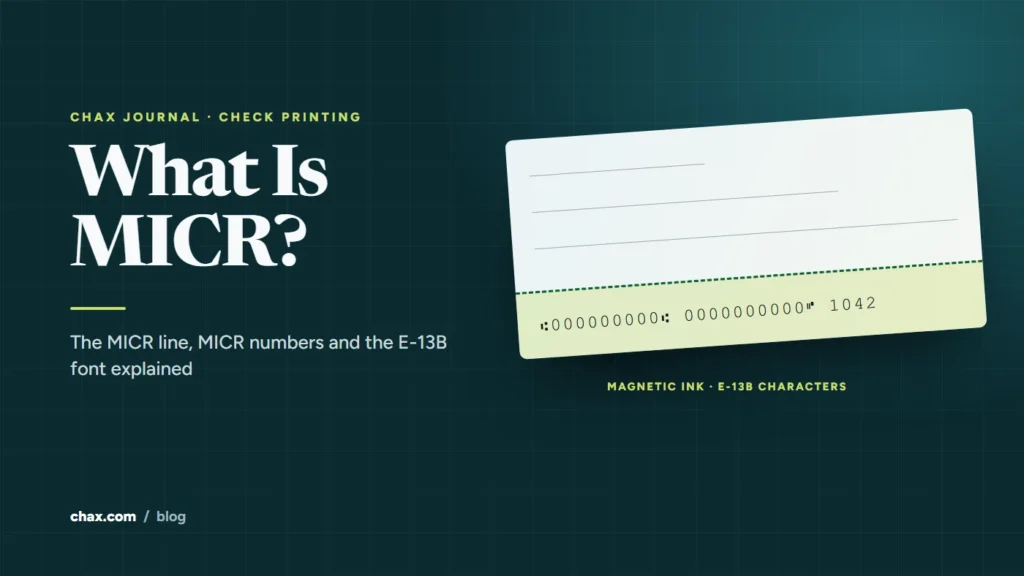
MICR stands for magnetic ink character recognition. It is the line of numbers and symbols printed in magnetic ink along the bottom of a check. It holds the bank’s routing number, the account number and the check number, in a special font called E-13B that bank equipment reads.
When people say “MICR number,” they usually mean those numbers. Checks you print yourself need the MICR line printed with MICR toner, in the right font and position.
How to read the MICR line
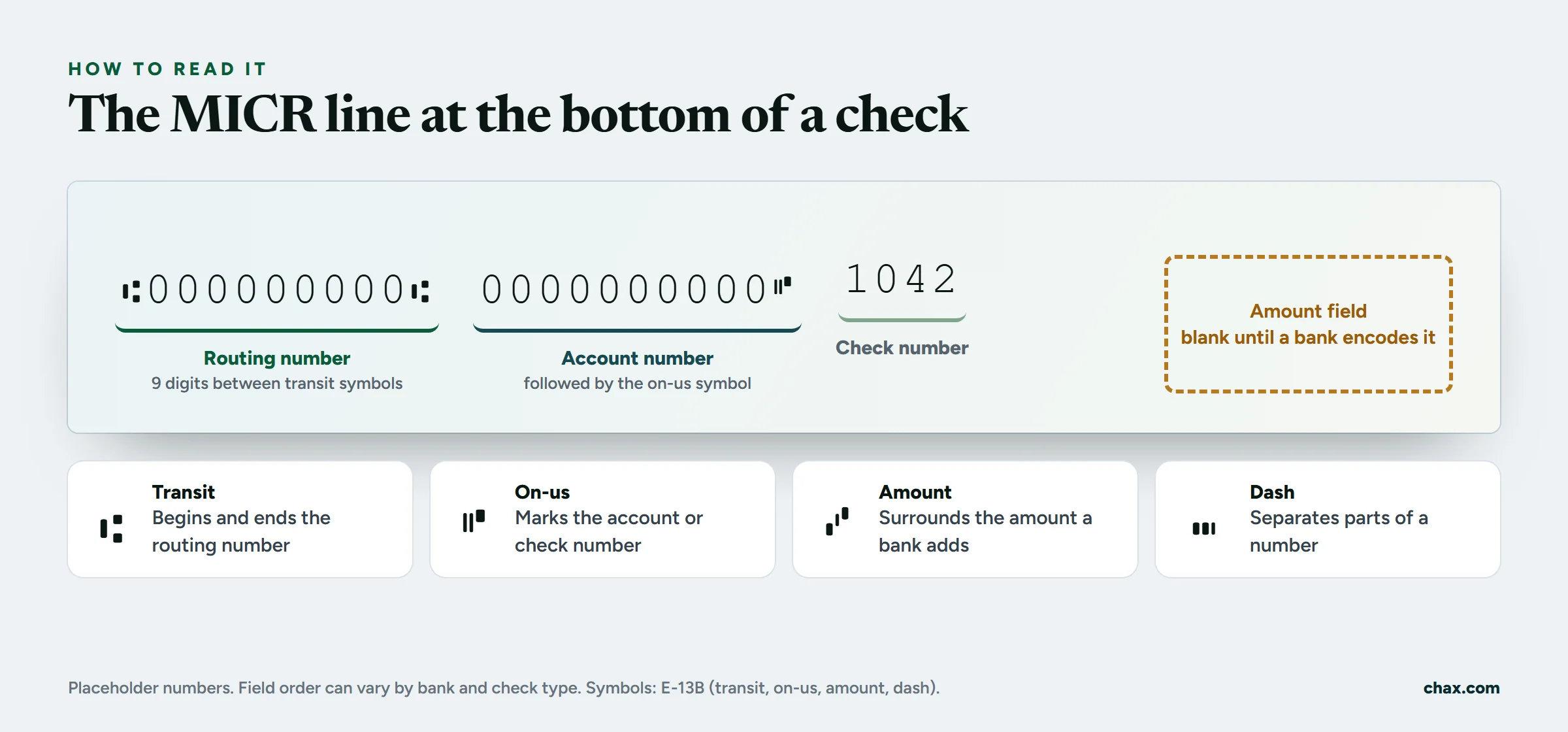
From left to right, a typical U.S. personal check’s MICR line has:
- The routing number, nine digits between two transit symbols. It identifies the bank.[3]
- The account number, marked by the on-us symbol.[3]
- The check number, which must match the check number printed in the body of the check, usually at the top right.[5]
- The amount field, at the right end. You leave it blank. A bank encodes the amount there during processing.[3]
Field order can vary by bank and check type, especially on business checks, so the symbols are the reliable guide to which number is which.
What is a MICR number?
On a U.S. check, the “MICR number” is the set of numbers in the MICR line. The part people most often need is the routing number: nine digits made up of an eight-digit number and a check digit. The American Bankers Association created routing numbers in 1910, banks adopted them in 1911, and the first two digits point to a Federal Reserve district. For example, 01 means the First District, Boston.[4] You can look up a bank by its routing number with our routing number lookup.
The four MICR symbols
Besides the digits 0 to 9, the MICR line uses four symbols:[3]
- Transit: begins and ends the nine-digit routing number.
- On-us: marks the account number, the check number, or both.
- Amount: surrounds the amount a bank encodes during processing.
- Dash: separates parts of a number, usually in the account number.
The MICR font: E-13B
U.S. checks use the E-13B MICR font: the ten digits and the four symbols above. The characters are shaped so a reader can recognize each one from its magnetic signal. ANSI X9.100-20 sets their shapes, sizes and magnetic signal, and ANSI X9.100-160-1 sets where they are placed on the check.[1][2] That is why you cannot type a MICR line in an ordinary font and expect it to work.
Where the MICR line goes
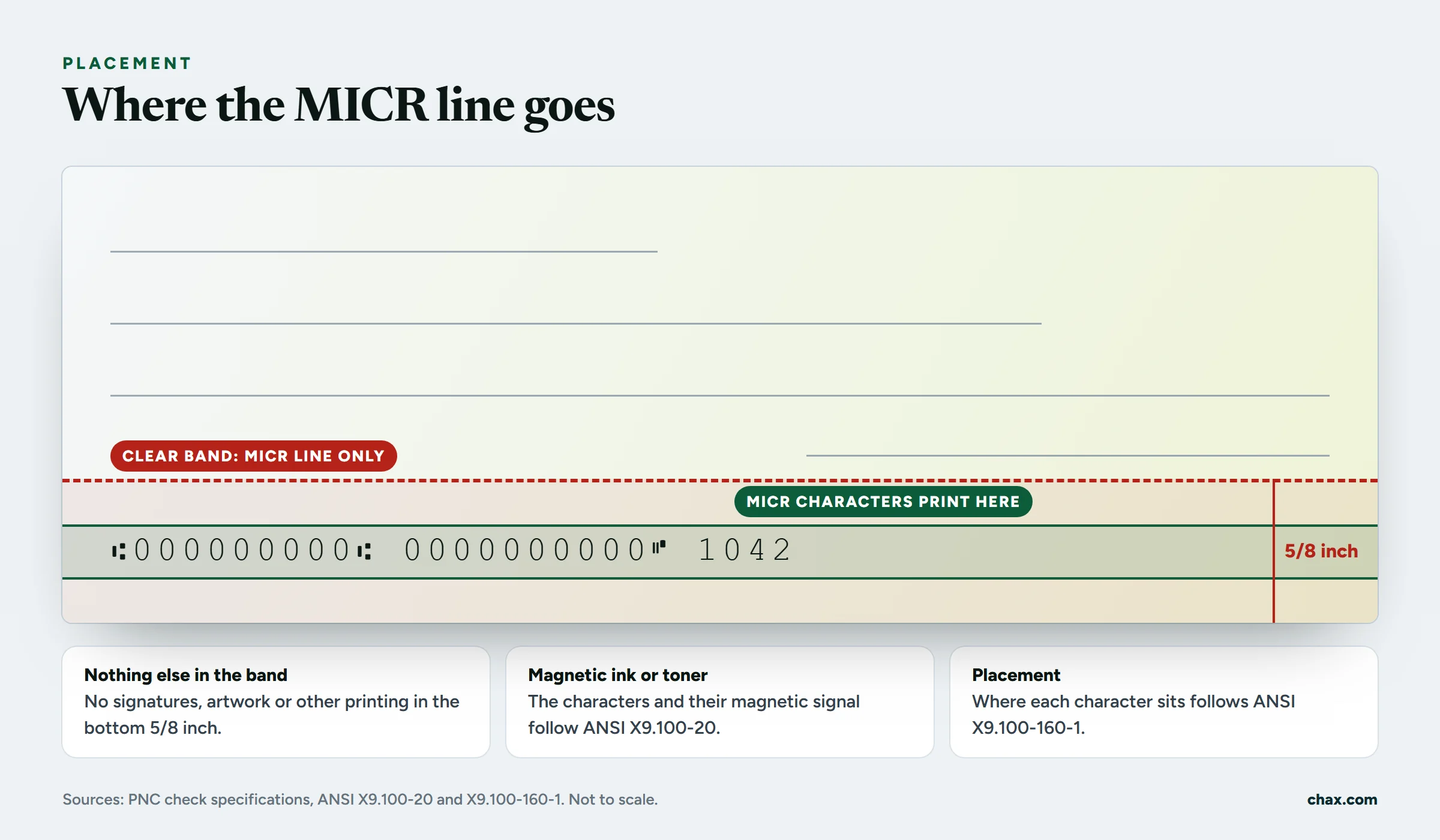
The MICR line prints in a clear band 5/8 inch high along the bottom edge of the check. Banks ask that nothing but the magnetic MICR line be printed in that band, so no signatures, artwork or other text.[5] Bank specifications also expect checks to survive repeated passes through reader-sorters. PNC, for example, requires documents to withstand 15 passes.[5]
How banks read MICR today
Reader-sorters read the magnetic characters to route and sort checks. Since the Check 21 Act took effect on October 28, 2004, banks have been able to exchange check images instead of paper, and a properly prepared substitute check made from those images is the legal equivalent of the original.[7] The Federal Reserve runs image quality checks on every check it processes, and image exchange follows ANSI X9 standards.[6] The MICR line still carries the numbers that tell every bank in the chain where the check belongs.
MICR toner and printing your own checks
If you print checks on blank stock, print the MICR line with MICR toner or ink. Regular toner is not magnetic, and the X9 standards cover the magnetic signal of MICR characters.[1] You also need check printing software that places the E-13B characters in the right spot and a laser printer with a matching MICR cartridge. Our MICR toner FAQ covers cartridges and printers, and blank check stock vs. pre-printed checks compares the costs. For step-by-step setup, see how to print blank checks with MICR, and if the line prints out of position, adjusting the MICR line.
Why MICR helps against fraud
MICR does not stop fraud on its own, but it makes checks harder to fake cheaply. FinCEN found that stolen checks are often altered or used as templates for counterfeit checks.[10] Using genuine magnetic toner on security check stock, and keeping blank stock locked up, removes easy shortcuts. See how to prevent check fraud for more steps.
A short history of MICR
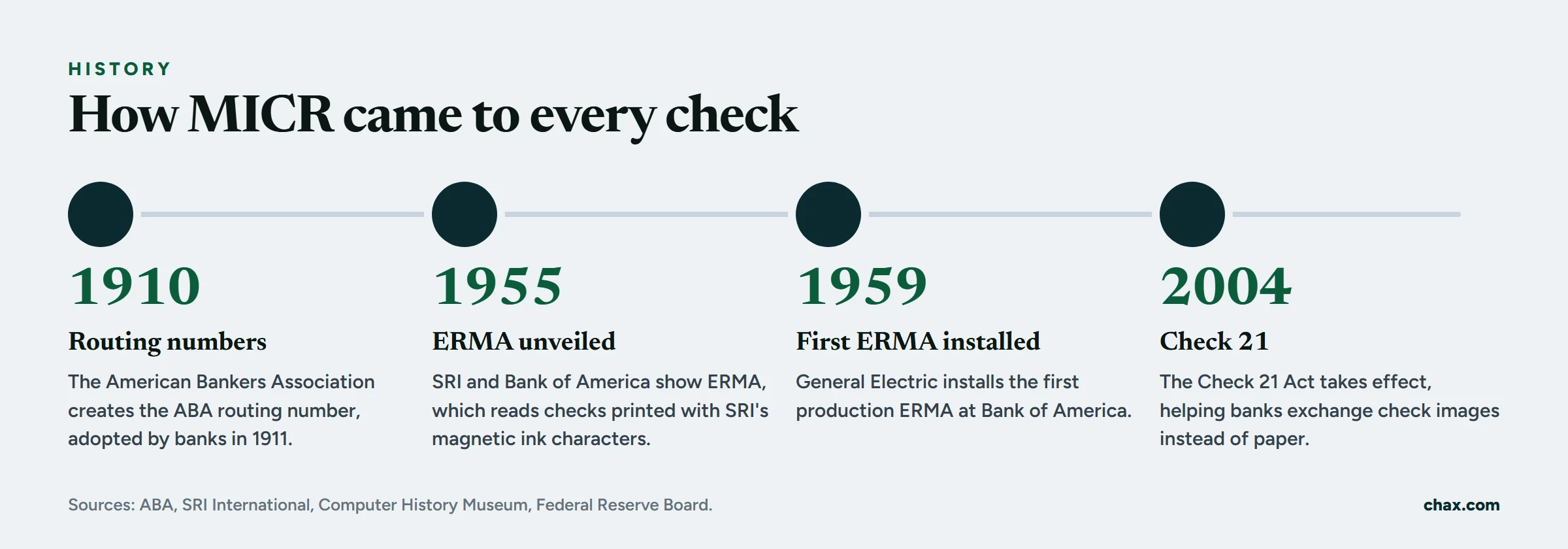
In the 1950s, Bank of America turned to the Stanford Research Institute, now SRI International, to automate check processing. SRI’s Ken Eldredge invented the magnetic ink character font for the ERMA system, which the bank first demonstrated in 1955. General Electric built the first production ERMA, installed at Bank of America in 1959, and the font became the American Bankers Association’s standard.[8][9]
Printing MICR checks with MultiCHAX
MultiCHAX 11 prints the MICR line on blank check stock for every bank account you use, from QuickBooks Desktop, Quicken and other accounting software, or from checks saved as PDF. It places the E-13B characters for each account, so one stock and one MICR toner cartridge cover all of them. See MultiCHAX check printing software and how to write a check.
Print your own MICR checks. Every feature works in the free MultiCHAX 11 trial, and trial checks print with a DEMO mark.
“That row of odd-looking characters at the bottom of a check is the only part the bank’s machines really care about, and it has been doing that job since the 1950s.”
Neil Bada, CHAX
Frequently asked questions
What does MICR stand for?
MICR stands for magnetic ink character recognition. It is the line of characters printed in magnetic ink at the bottom of a check, which bank equipment reads to process the check.
What is a MICR number?
On a U.S. check, the MICR number is the set of numbers in the MICR line: the bank’s nine-digit routing number, your account number and the check number.
What font is used for MICR?
U.S. checks use the E-13B font: the digits 0 to 9 plus four symbols called transit, on-us, amount and dash. ANSI X9 standards set the shape and magnetic signal of these characters.
Where is the MICR line on a check?
Along the bottom of the check, in a clear band 5/8 inch high. Nothing but the MICR characters should be printed in that band.
Do I need MICR toner to print checks?
Use MICR toner or ink for the MICR line. The ANSI X9.100-20 standard covers the magnetic signal of MICR characters, and regular toner is not magnetic.
What is the amount field in the MICR line?
It is the space at the right end of the MICR line. You leave it blank when you print a check, and a bank encodes the amount there during processing.
What is the routing number in the MICR line?
A nine-digit number that identifies the bank, printed between the two transit symbols. The American Bankers Association created routing numbers in 1910, and the first two digits point to a Federal Reserve district.
Sources
- ANSI X9.100-20, print and test specifications for MICR (E-13B) characters
- ANSI X9.100-160-1, placement and location of MICR printing
- Certegy developer documentation, MICR formats (transit, on-us, amount and dash symbols)
- American Bankers Association, ABA Routing Number
- PNC Bank, check and MICR document specifications (clear band, check number, reader passes)
- Federal Reserve Financial Services, Check 21 technical information (image quality and image exchange standards)
- Federal Reserve Board, Regulation CC FAQ on the Check 21 Act
- SRI International, “Banking automation: ERMA”
- Computer History Museum, “ERMA Can Do It!”
- FinCEN, Financial Trend Analysis: Mail Theft-Related Check Fraud (Sept. 2024)
Last reviewed November 2026. Bank requirements vary, so test new checks with your bank. This article is general information, not banking advice.
