
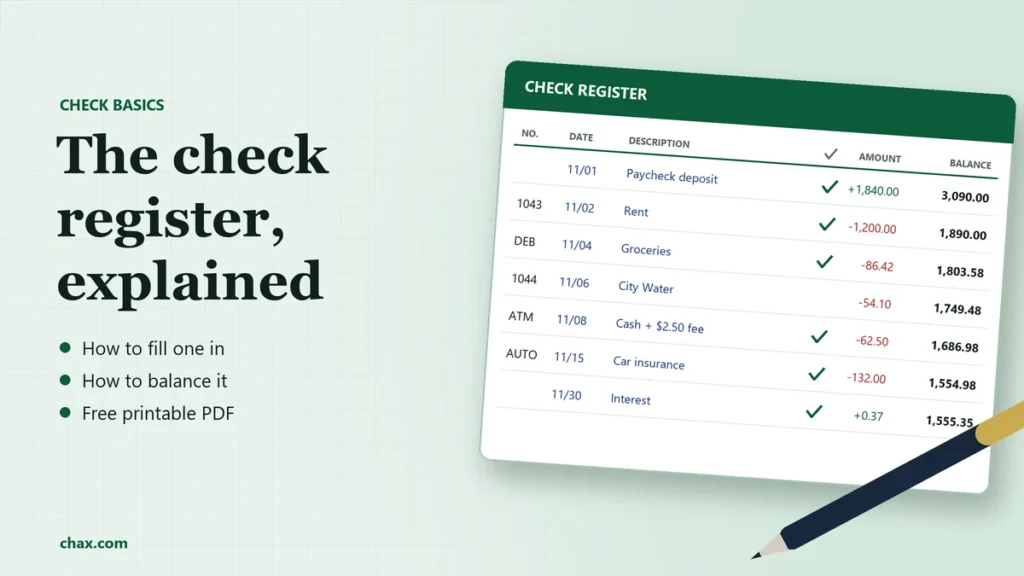
A check register is a running record of everything that goes in and out of a checking account: checks, deposits, debit card purchases, automatic payments, ATM withdrawals and fees. After each entry you write the new balance, so you always know how much money you really have.
Once a month, you compare it with your bank statement and tick off each item that has cleared. This is called balancing or reconciling. It catches mistakes, forgotten payments and fraud early. Scroll down for a free printable check register.
What is a check register?
A check register, also called a checkbook register or checkbook ledger, is the small booklet that comes with a box of checks, or the same layout in a spreadsheet, app or accounting software. Banks show you what has cleared. Your register also shows what you’ve spent that hasn’t cleared yet, like a check the payee hasn’t deposited or a card payment that’s still pending. An online balance may not include those pending transactions.[4]
The columns in a check register
| Column | What to write |
|---|---|
| Number or code | The check number, or a short code for other transactions: DEB (debit card), ATM, AUTO (automatic payment), EFT (electronic transfer) or DEP (deposit). |
| Date | The day you wrote the check or made the transaction. |
| Description | Who you paid or where the money came from, plus any note you’ll need later. |
| Payment / debit (−) | Money going out: checks, card purchases, withdrawals, transfers out. |
| ✓ (cleared) | Left blank until the item shows up on your bank statement, then ticked. |
| Fee (−) | Bank fees, such as ATM or overdraft fees. Some registers combine this with payments. |
| Deposit / credit (+) | Money coming in: paychecks, transfers in, refunds, interest. |
| Balance | The running total after each line. |
Check register example
Here’s one month of a sample register, starting with a balance of $1,250.00. Each balance is the line above, minus payments and fees, plus deposits.
| No./code | Date | Description | Payment (−) | ✓ | Fee (−) | Deposit (+) | Balance |
|---|---|---|---|---|---|---|---|
| 11/01 | Starting balance | 1,250.00 | |||||
| DEP | 11/01 | Paycheck | ✓ | 1,840.00 | 3,090.00 | ||
| 1043 | 11/02 | Rent, Oak Street Apartments | 1,200.00 | ✓ | 1,890.00 | ||
| DEB | 11/04 | Groceries | 86.42 | ✓ | 1,803.58 | ||
| 1044 | 11/06 | City Water | 54.10 | 1,749.48 | |||
| ATM | 11/08 | Cash withdrawal | 60.00 | ✓ | 2.50 | 1,686.98 | |
| AUTO | 11/15 | Car insurance | 132.00 | ✓ | 1,554.98 | ||
| 11/30 | Interest (from statement) | ✓ | 0.37 | 1,555.35 | |||
| 11/30 | Monthly service fee (from statement) | ✓ | 5.00 | 1,550.35 |
How to fill in a check register
- Write the starting balance on the first line, from your last statement or the day you open the account.
- Record every transaction as it happens, not just checks. Card purchases, ATM withdrawals, transfers and automatic payments all belong in the register.
- Do the math on every line. Subtract payments and fees, add deposits, and write the new balance.
- Add items you only learn about from your statement, such as interest and monthly fees, when the statement arrives.
- Record voided checks too. Write the check number and “VOID” with no amount, so your check numbers have no gaps. See how to void a check.
New to writing checks? Our guide to writing a check covers each field.
How to balance a check register
Balancing, or reconciling, means making your register and your bank statement agree. The FDIC’s Money Smart program teaches the same basic method:[3]
- Start with the ending balance on your bank statement.
- Tick off matching items. Put a ✓ in your register next to every check, deposit and payment that appears on the statement.
- Add deposits in transit, meaning deposits in your register that aren’t on the statement yet.
- Subtract outstanding checks and payments, meaning items in your register without a ✓.
- Compare. The result should equal your register balance.
For the example above, the bank statement dated 11/30 shows an ending balance of $1,604.45, because check 1044 hasn’t been cashed yet:
Statement ending balance: $1,604.45
+ Deposits in transit: $0.00
− Outstanding check 1044: $54.10
= Adjusted balance: $1,550.35, which matches the register.
If it doesn’t balance
- Re-add each line of your register. A single subtraction error carries through every balance after it.
- Look for fees, interest or automatic payments on the statement that aren’t in your register.
- Check for transposed digits, like 54.10 written as 45.10. If the difference divides evenly by 9, a transposition is a likely cause.
- Make sure you didn’t record something twice, or miss a deposit.
- If something on the statement isn’t yours, contact your bank right away.[3]
Why balancing matters: the deadlines
Reconciling isn’t just tidiness. The law expects you to review your statements, and waiting too long can cost you your right to get money back.
- Forged or altered checks: under the Uniform Commercial Code, you must examine your statement with “reasonable promptness” and tell the bank promptly about unauthorized payments. If you don’t report a forged signature or alteration within one year of the statement being made available, you generally lose the right to make the bank cover it.[1]
- Electronic transfer errors (debit card, ATM, automatic payments): under Regulation E, you have 60 days after the bank sends the statement showing the error to report it.[2]
Tip: reconcile within a few days of each statement. It takes minutes when the month is fresh, and you’ll be well within both deadlines.
Free printable check register
Printable check register (PDF). Two landscape letter-size pages with 22 rows each, columns for number, date, description, payment, cleared, fee, deposit and balance, and space for the account, month and starting balance. Free to print and copy.
Paper, spreadsheet or software?
- Paper register: free with your checks, nothing to set up. Easy to fall behind on card purchases.
- Spreadsheet: does the math for you. Use a formula for the balance column and add a cleared column for reconciling.
- Bank app: shows cleared and pending items automatically, but not checks you’ve written that haven’t been deposited.
- Accounting software: for a business, the bank account register in QuickBooks, Xero or similar software is your check register, with reconciliation built in.
Check registers for businesses
A business that writes many checks needs the same discipline at a larger scale: every check number accounted for, voided checks recorded, and each statement reconciled. If you print checks on blank stock with MultiCHAX, you can search the history of every check you’ve printed and run check reports, which makes it quicker to match check numbers against your statement and spot one that’s missing.
Gaps and surprises in the register are often the first sign of check fraud. Our check fraud guide covers more safeguards, including Positive Pay.
Frequently asked questions
What’s the difference between a check register and a bank statement?
Your register is your own record, updated as you go, including items that haven’t cleared. The bank statement is the bank’s record of what has cleared during the statement period.
Do I still need a check register if I use online banking?
It’s still useful if you write checks, because the bank doesn’t know about a check until it’s deposited. Many people use their bank app for card activity and keep a simple register or spreadsheet for checks.
What does the check mark column mean?
It shows the item has cleared, meaning it appears on your bank statement. Items without a check mark are still outstanding.
How often should I balance my check register?
At least once a month, when your statement arrives. Busy accounts benefit from a quick weekly check against the bank app.
Where do I get a check register?
One usually comes with each box of checks. You can also print ours, above, or use a spreadsheet or your accounting software.
Sources
- Uniform Commercial Code § 4-406, customer’s duty to discover and report unauthorized signature or alteration, Cornell Law School LII
- 12 CFR 1005.11, Regulation E, procedures for resolving errors, Cornell Law School LII
- Money Smart: balancing your checking account, Federal Deposit Insurance Corporation
- Manage My Checking Account, Federal Deposit Insurance Corporation
Last reviewed November 2026. This article is general information, not legal or financial advice. Check your account agreement for your bank’s specific terms.
