Short answer
Printing your own personal checks lets you design them the way you want, print one whenever you need it, use one stock for every account, and keep blank paper instead of boxes of checks that already show your account number.
You can customize the name and address, logo, colors, background and fonts. Banks need three things left standard: the MICR line in the bottom 5/8 inch, a check number that matches it, and readable amount and signature areas.
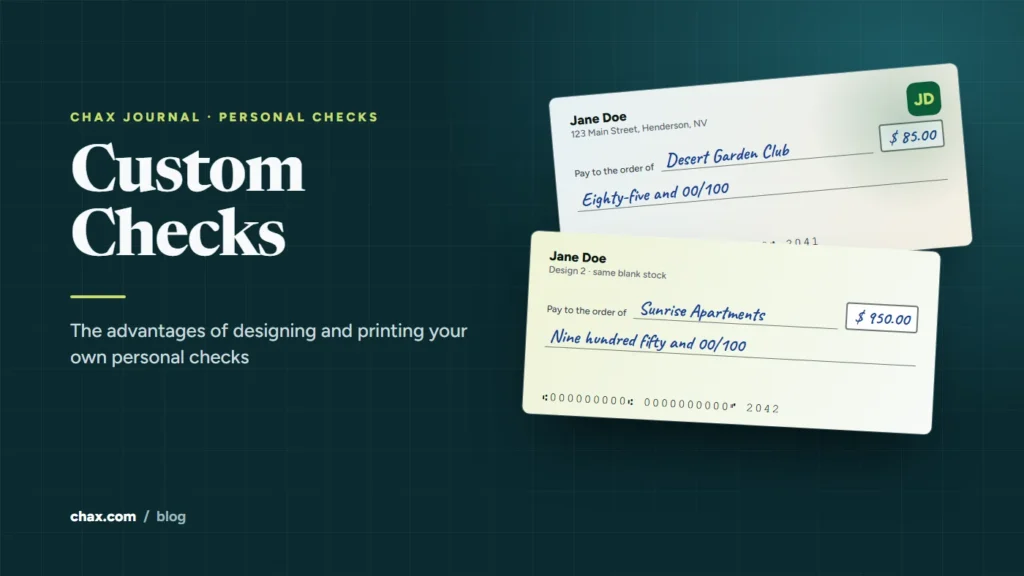
The advantages of designing and printing your own checks
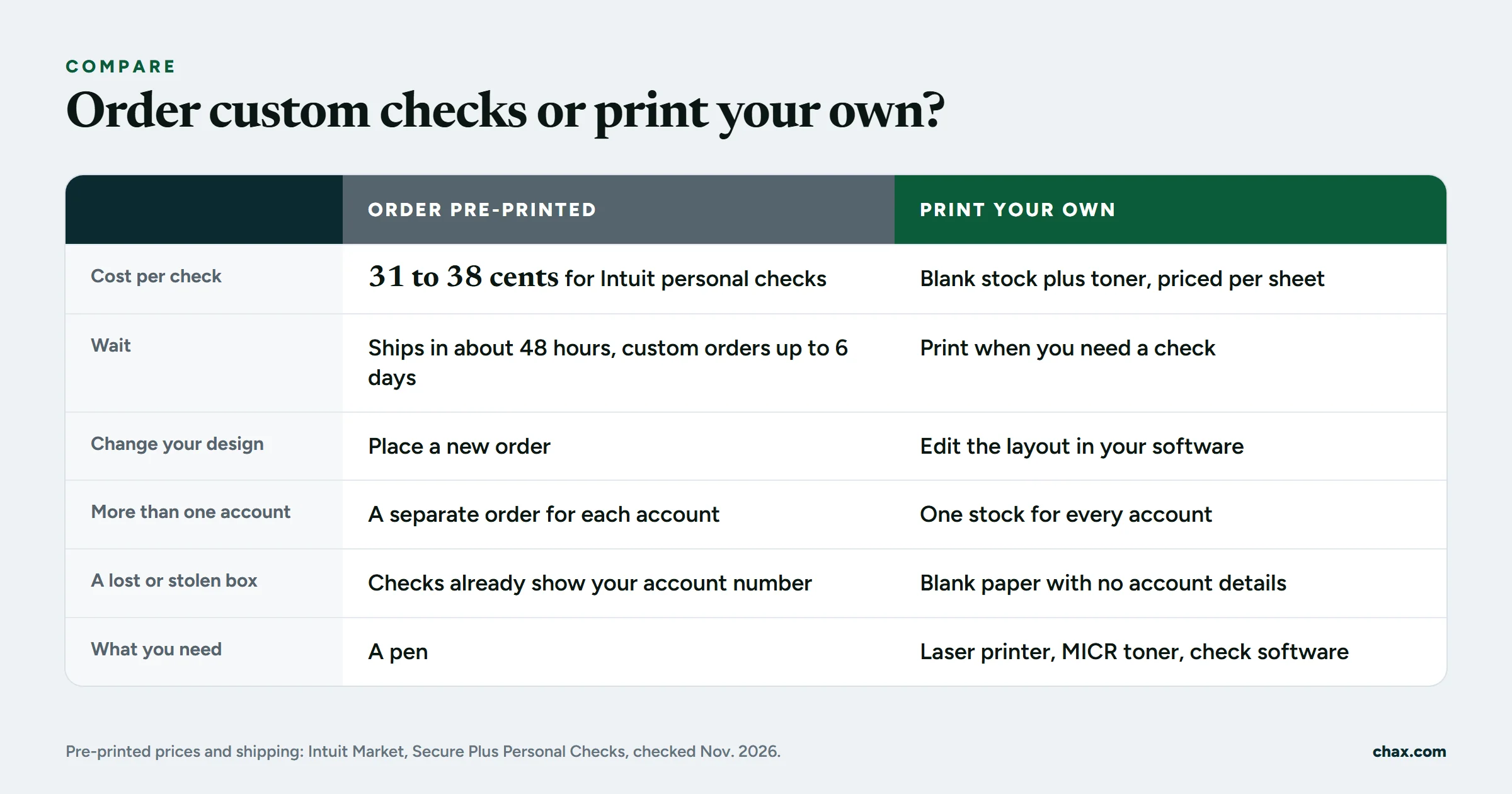
- Your design, any timePick your colors, background, logo and fonts, and change them whenever you like without placing a new order.
- Print on demandPrint a check when you need one. Ordered custom checks typically ship within 48 hours, and custom orders can take up to six days.[6]
- One stock for every accountThe software prints each account’s details at print time, so one box of blank stock works for all of them.
- Nothing to scrapA new address, bank or name means editing your layout, not throwing away the rest of a box.
- Safer to storeBlank stock carries no account number. FinCEN found that stolen checks are often used as templates for counterfeits, and pre-printed checks hand over that template.[8]
- Better recordsCheck software keeps a record of every check you print, with the payee, amount and date in one place.
What you can customize, and what must stay standard
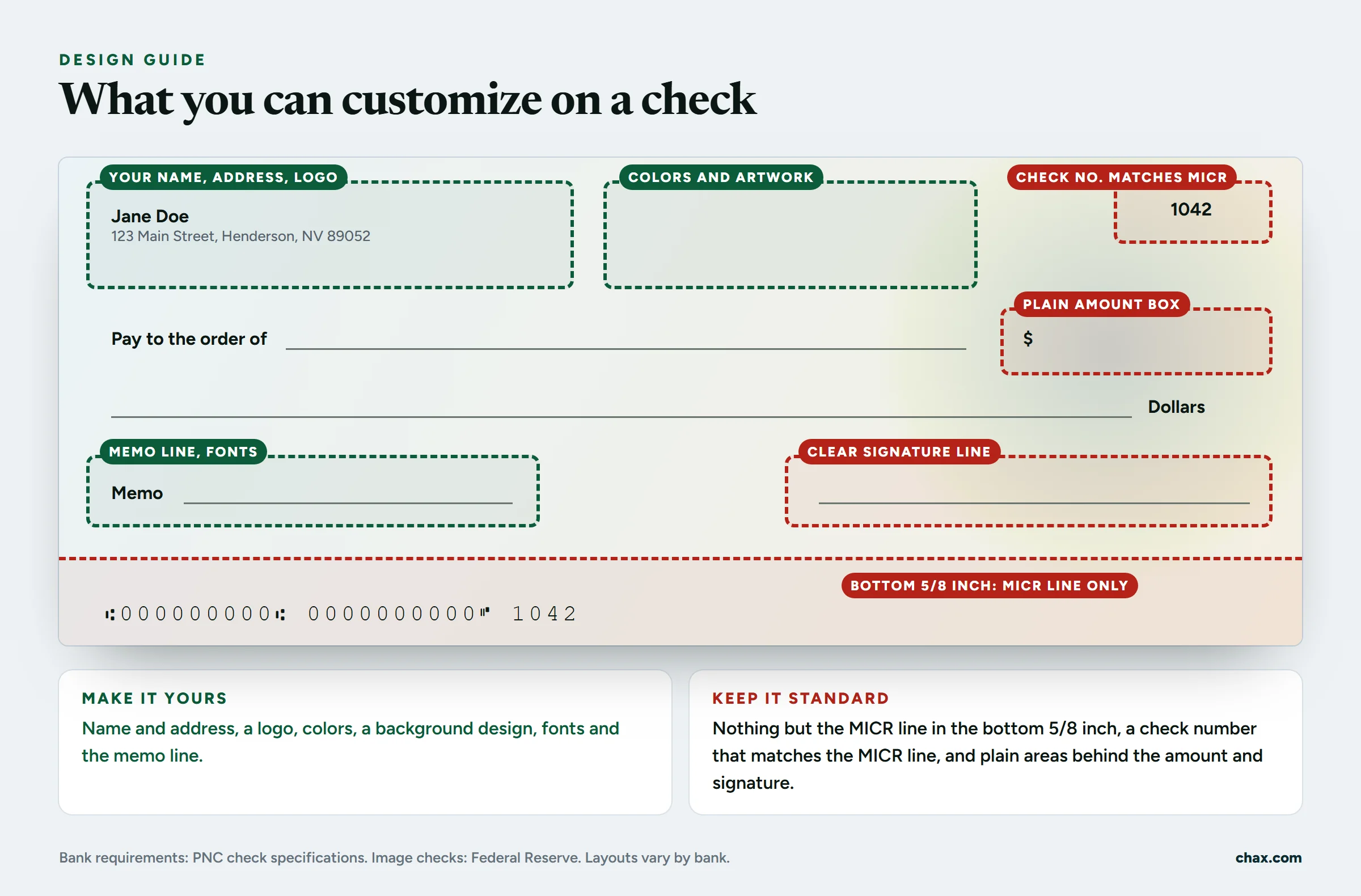
Custom checks still have to work in bank equipment. Banks read the MICR line magnetically and check the scanned image of every check, so a few areas have to stay standard.
Make it yours
- Name and address: any font and layout, as long as it is readable.
- A logo or monogram: in the top area of the check.
- Colors and background: a light tint or design in the body of the check.
- Memo line and fonts: styled to match your design.
Keep it standard
- The bottom 5/8 inch: nothing but the magnetic MICR line can be printed in this clear band.[1] The MICR characters and their placement follow ANSI X9 standards.[2][3]
- The check number: the number in the MICR line must match the check number printed in the body of the check, usually at the top right.[1]
- The amount and signature areas: keep them plain and high-contrast. Bank specifications limit how much the background can differ around the amount box,[1] and the Federal Reserve runs image quality checks on every check it processes.[5] A dark photo behind the amount can make a check unreadable.
- Size and paper: stay within your bank’s size limits and use MICR-grade check paper. PNC, for example, specifies 24 lb MICR bond.[1]
What custom checks cost
Pre-printed checks are priced per box. Intuit lists its Secure Plus personal checks at $45.79 for 120 and $148.83 for 480, about 38 to 31 cents a check, and each box is printed for one account.[6]
Printing your own costs blank check stock, which is priced per sheet, plus MICR toner and check printing software. One stock covers every account, and a new design costs nothing extra. Compare the two with your own numbers in our blank stock vs. pre-printed cost calculator.
What you need to print custom checks
- Blank check stock in the layout your software supports, with security features such as microprinting, a void pantograph and a padlock icon that shows they are present.[4]
- A laser printer with MICR toner for the MICR line.[2]
- Check printing software with a layout designer, so you can place your logo and design while it prints the MICR line in the right spot.
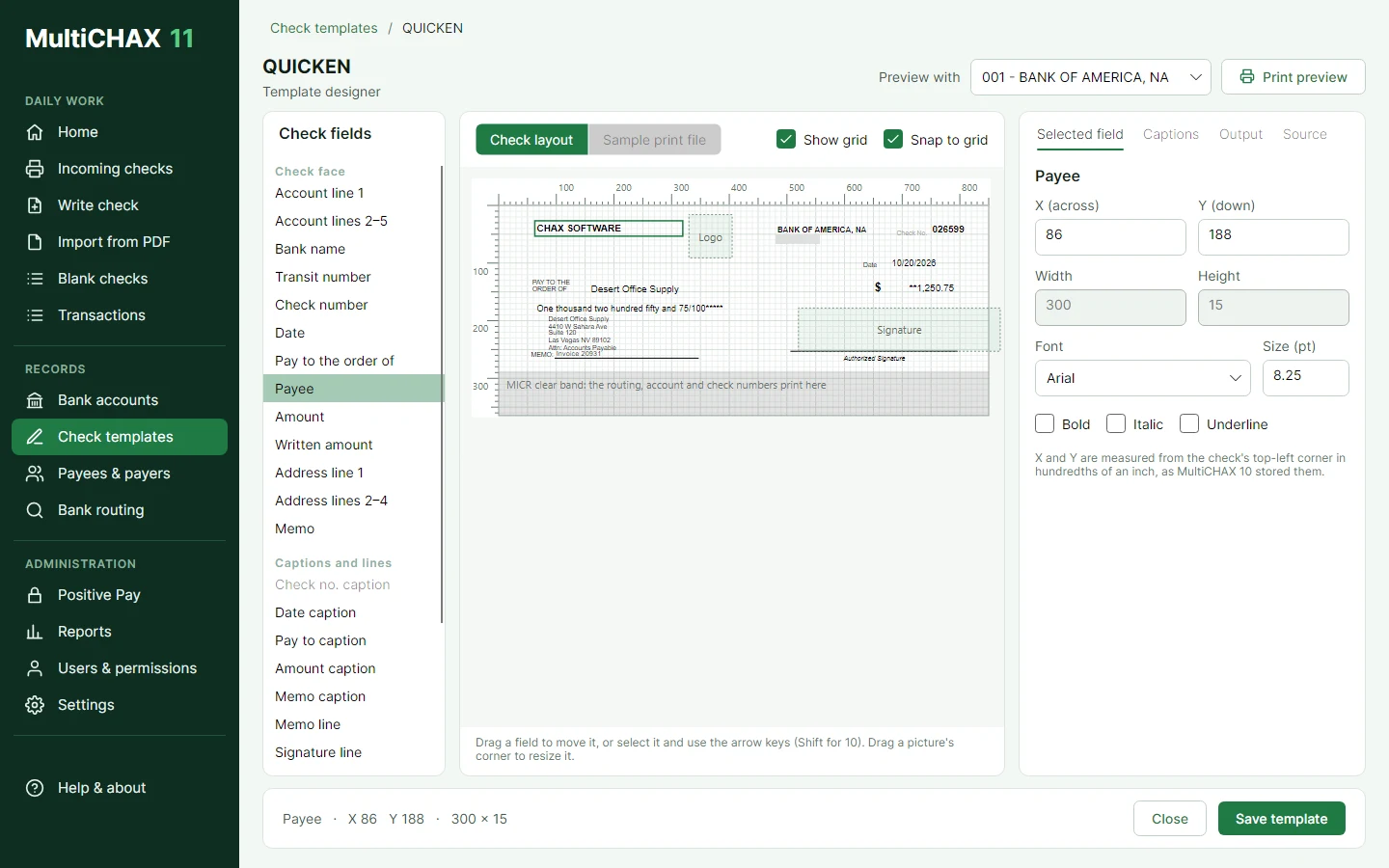
For the step-by-step setup and the legal side, see how to print your own checks at home.
Signatures on custom checks
Under the Uniform Commercial Code, a signature can be made by hand or by a device or machine, using any mark you adopt to sign.[7] Printing a signature image on your checks is therefore possible, but ask your bank whether it accepts printed signatures on your account. If you do print signatures, protect the signature file and the blank stock, because anyone with both can print a signed check.
Keep custom checks safe
- Lock up blank stock and limit who can print.
- Write or print with permanent ink. The U.S. Postal Inspection Service recommends indelible black ink because it is harder to wash off.[9]
- Mail checks in blue collection boxes before the last pickup or at a Post Office, not from your mailbox overnight.[9]
- Reconcile your account often and read how to prevent check fraud.
Printing checks for a business too?MultiCHAX check printing software prints checks on blank stock with a template designer for your layout. See also how to write a check and what MICR is.
Frequently asked questions
Can I design my own checks?
Yes. You can choose your own colors, background design, logo, fonts and layout. Keep the bottom 5/8 inch for the MICR line only, make the check number match the one in the MICR line, and keep the areas behind the amount and signature light and plain so banks can read them.
Are custom-designed checks legal?
Yes. A check does not have to come from a check printer or have a standard design. What banks need is a correctly printed MICR line, the right routing and account numbers, and a readable amount, payee and signature.
Can I put a photo on my checks?
Yes, as a background in the body of the check, but keep it light. Dark or busy images behind the amount, payee or signature make the check harder to read when it is scanned, and banks check every image for quality.
How much do custom personal checks cost?
Pre-printed Intuit Secure Plus personal checks list at $45.79 for 120 and $148.83 for 480, or about 31 to 38 cents a check. Printing your own costs the blank stock and MICR toner, and lets you change the design any time.
Can I print a signature on my checks?
The law lets a signature be made by a device or machine, as long as you adopt it to sign. Ask your bank whether it accepts printed signatures on your account before you rely on one.
Do I need MICR toner for custom checks?
Use MICR toner for the MICR line at the bottom. That line is read by bank equipment and is covered by ANSI X9 standards for the characters and their placement.
Sources
- PNC Bank, check and MICR document specifications (clear band, check number, paper)
- ANSI X9.100-20, print and test specifications for MICR (E-13B) characters
- ANSI X9.100-160-1, placement and location of MICR printing
- ANSI X9.100-170, check security padlock icon
- Federal Reserve Financial Services, Check 21 technical information (image quality checks on every check)
- Intuit Market, Secure Plus Personal Checks: prices, quantities and shipping (checked Nov. 3, 2026)
- Uniform Commercial Code § 3-401, signature, Cornell Law School LII
- FinCEN, Financial Trend Analysis: Mail Theft-Related Check Fraud (Sept. 2024)
- U.S. Postal Inspection Service, “Check Washing”
Last reviewed November 2026. Bank requirements vary, so confirm your design with your bank. This article is general information, not legal or banking advice.
