
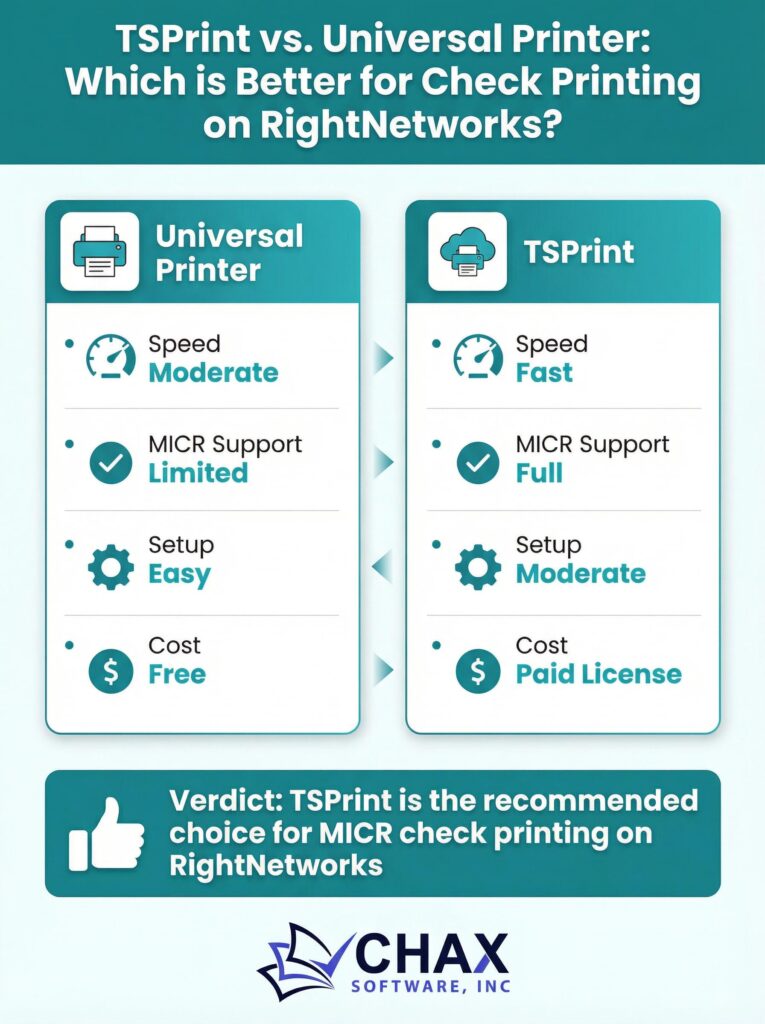
TSPrint vs. Universal Printer: Which is Better for Check Printing on RightNetworks?
When printing from a RightNetworks hosted QuickBooks environment, you will encounter several printer options. The two most prominent are “TSPrint” and often a generic-sounding “Universal Printer Driver” (UPD). While both are designed to solve the problem of printing from a remote server to a local device, they work in different ways and have distinct implications for specialized tasks like check printing.
This article will compare the two technologies and explain why TSPrint is the superior and officially supported method for the RightNetworks platform.
What is a Universal Printer Driver (UPD)?
A Universal Printer Driver is a single driver designed to work with a wide variety of printers from a specific manufacturer (e.g., HP Universal Print Driver) or across multiple brands. The goal is to simplify driver management in large corporate environments by providing a one-size-fits-all solution. In a remote desktop environment, a UPD attempts to create a compatible link between the server and the end-user’s printer.
However, they are not always truly “universal.” They can have compatibility issues with certain printer models and often lack the advanced features of a model-specific driver.
What is TSPrint?
TSPrint is not a printer driver in the traditional sense. It is a remote desktop printing software. It works by creating its own virtual printer on the remote server. When you print to the TSPrint virtual printer, the software intercepts the print job, compresses it, and sends it over the network to a client application running on your local computer. That local client then forwards the job to your actual physical printer.
This method has several key advantages:
- True Universality: It works with any printer that is correctly installed on your local computer, regardless of the make or model.
- No Driver Installation on the Server: It completely eliminates the need to install any printer-specific drivers on the RightNetworks server, which is a major benefit for stability and security.
- Speed and Efficiency: By compressing the print job, TSPrint can often deliver print jobs faster than a standard UPD, especially over slower internet connections.
Why TSPrint is Better for Check Printing
For general document printing, both methods might work. However, for a precise and security-sensitive task like check printing, TSPrint is the clear winner, especially when used in conjunction with a dedicated check printing software like MultiCHAX.
Here’s why:
1. Reliability and Consistency: TSPrint’s method of capturing and redirecting the print job is more reliable and less prone to the formatting errors that can plague UPDs. When printing a check, even a tiny alignment shift can cause the check to be rejected by the bank. TSPrint provides a more consistent output.
2. Official RightNetworks Support: RightNetworks has standardized on TSPrint as their official printing solution. Their support team is trained on it, and the platform is optimized for it. If you run into printing issues, you will receive much better and faster support if you are using their recommended tool.
3. Seamless Integration with Virtual Check Printers: The ideal workflow for check printing on RightNetworks is to use a virtual check printer like MultiCHAX on the server. This software handles the critical MICR line formatting and layout. This virtual printer then sends its output to the TSPrint virtual printer, which in turn sends it to your local printer. This layered virtual printing approach is fully supported by TSPrint but can be problematic with a generic UPD.
The Verdict
While you may see a “Universal Printer” option in your RightNetworks environment, you should always choose the TSPrint option for any printing task, and especially for check printing. It is the officially supported, more reliable, and more secure method for bridging the gap between your hosted QuickBooks and your local office printer.
By standardizing your workflow on the TSPrint > Local Printer (or even better, MultiCHAX > TSPrint > Local Printer) method, you ensure a stable, secure, and trouble-free printing experience.