
# My Bank’s Mobile Deposit Won’t Accept My Printed Check. Here’s Why.
If you have ever printed a check using CHAX or any other check printing software and then tried to deposit it via your bank’s mobile app — only to have the deposit rejected — you are not alone. This is one of the most common support questions we receive, and the good news is that the cause is almost always straightforward and easily corrected.
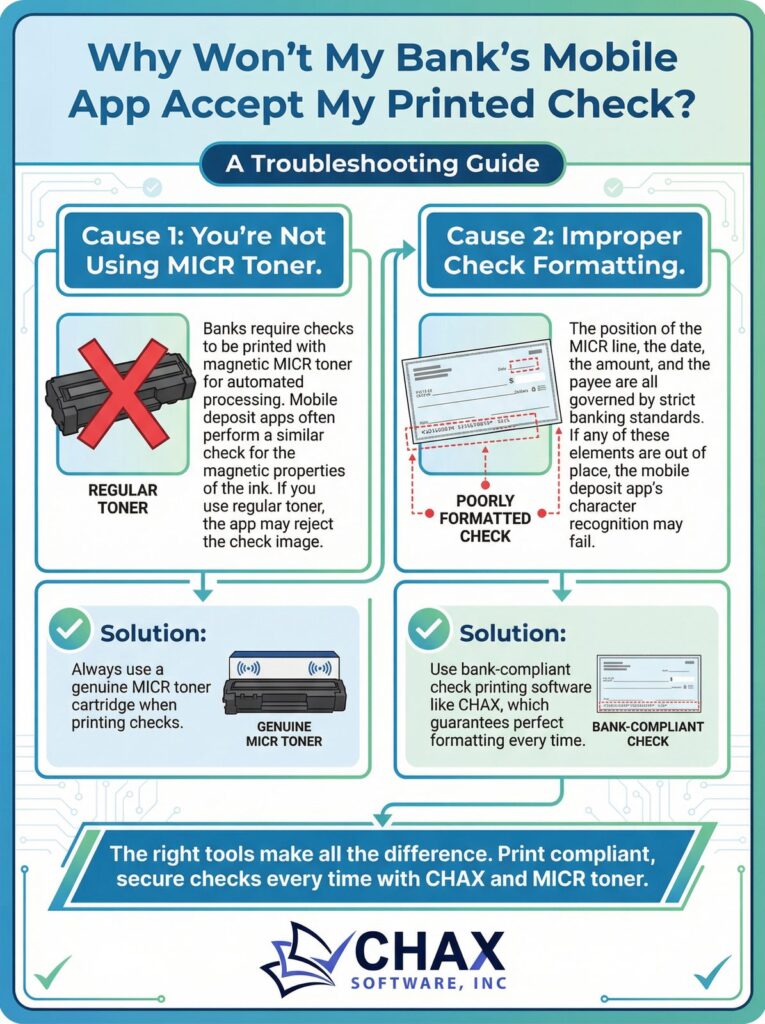
There are two primary reasons why a bank’s mobile deposit app will reject a printed check: the wrong type of toner, and improper check formatting. This guide explains both issues in detail and shows you exactly how to fix them.

## Cause 1: You Are Not Using MICR Toner
This is by far the most common cause of mobile deposit rejection for printed checks. Most people assume that any laser printer toner will work for printing checks. This assumption is incorrect, and understanding why requires a brief explanation of how banks process checks.
The numbers and symbols at the bottom of every check — the routing number, account number, and check number — are printed in a font called E-13B using a special type of ink called **MICR (Magnetic Ink Character Recognition) toner**. MICR toner contains iron oxide particles that can be magnetized, allowing bank sorting machines to read the characters magnetically rather than optically.
When you deposit a check via a mobile app, the app captures an image of the check and sends it to the bank for processing. Many banks’ systems — and increasingly, their mobile apps — perform a check on the magnetic properties of the MICR line to verify that the check is a genuine, bank-compliant document. If the MICR line was printed with regular laser toner (which contains no magnetic particles), this check fails, and the deposit is rejected.
**The fix:** Replace your standard toner cartridge with a genuine MICR toner cartridge that is compatible with your printer model. MICR toner cartridges are available for most major laser printer brands, including HP, Brother, Lexmark, and Samsung. CHAX is compatible with all standard MICR toner cartridges.
## Cause 2: Improper Check Formatting
The second most common cause of mobile deposit rejection is a check that does not conform to the strict formatting standards set by the American National Standards Institute (ANSI) and the banking industry. These standards govern the precise position of every element on a check: the date, the payee name, the amount in numbers, the amount in words, the memo line, the signature line, and — most critically — the MICR line at the bottom.
If any of these elements are positioned incorrectly, the bank’s optical character recognition (OCR) system may fail to read them correctly, causing the deposit to be rejected. Common formatting errors include:
| Error | Cause | Impact |
| :— | :— | :— |
| MICR line too high or too low | Incorrect template settings | Bank cannot read routing/account numbers |
| Amount box misaligned | Custom template not calibrated | OCR misreads the payment amount |
| Check printed on wrong paper size | Incorrect page setup | Entire check is rejected |
| Elements printed in the MICR clear band | Overlapping layout elements | Corrupts the MICR line reading |
**The fix:** Use bank-compliant check printing software like CHAX, which is specifically designed and tested to meet all ANSI and banking industry formatting standards. CHAX templates are pre-calibrated to place every check element in the correct position, ensuring that your printed checks will be accepted by any bank’s mobile deposit system.
## A Note on Check Stock
In addition to MICR toner and correct formatting, the quality of your blank check stock also plays a role in mobile deposit acceptance. Low-quality check stock that is too thin, too thick, or printed on paper that is too glossy can cause the mobile app’s camera to produce a poor-quality image, leading to rejection.
CHAX recommends using standard 24 lb. blank check stock from a reputable supplier. This weight and finish is optimized for both MICR printing and mobile deposit imaging.
## Summary: The Three Requirements for Mobile Deposit Success
To ensure your printed checks are accepted by any bank’s mobile deposit system, you need three things working together:
1. **MICR toner** — Magnetic ink that bank systems can read electronically.
2. **Bank-compliant formatting** — Every check element in the correct position, per ANSI standards.
3. **Quality check stock** — Standard weight and finish for clear imaging.
CHAX provides the software component (requirement 2) and is designed to work seamlessly with MICR toner (requirement 1) and standard blank check stock (requirement 3). If you are experiencing mobile deposit rejections, verify that all three components are in place before contacting your bank.
For further assistance, the CHAX support team is available by phone — a level of support that our cloud-based competitors simply cannot match. Visit [www.chax.com](https://www.chax.com) to reach our team.