
“”# How to Take a Check Payment Over the Phone in 3 Easy Steps
In a perfect world, every customer would pay their invoices the moment they receive them. In reality, businesses often have to chase payments, and the phrase “the check is in the mail” is a common source of frustration and cash flow delays.
What if you could eliminate the wait? What if, the moment a customer agrees to pay over the phone, you could have guaranteed funds ready for deposit? With check-by-phone software, you can. The entire process, from conversation to deposit, can be boiled down to three simple steps.
!Take a Check Payment Over the Phone in 3 Easy Steps

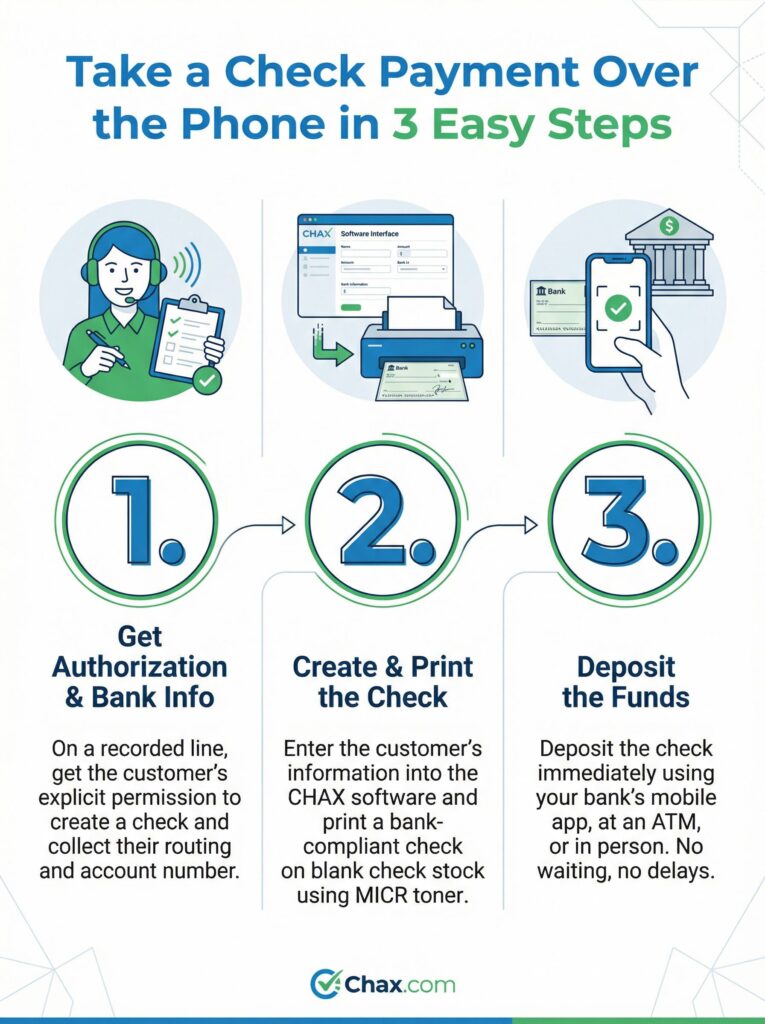
Step 1: Get Authorization & Bank Info
This is the most important step in the entire process. To create a legal and valid check on your customer’s behalf, you must have their explicit permission. This is called authorization.
Here’s what you need to do:
* Full Name and Address on the account
* Bank Name
* Bank Account Number
* Bank Routing Number
* The exact payment amount
Sample Script: “To process this payment today, I will be creating a one-time check for [Amount] using your bank information. For your security and ours, this call is being recorded to confirm your authorization. Can I get your permission to proceed?”
Once they agree, you have everything you need for the next step.
Step 2: Create & Print the Check
This is where CHAX Check-by-Phone software does the heavy lifting. You don’t need to be a designer or a bank teller; you just need to enter the data.
The check that comes out of your printer is now a legal financial instrument, ready to be deposited.
Step 3: Deposit the Funds
Forget about driving to the post office or waiting for mail to be delivered. You now have a physical check in your hand, and you can deposit it the same way you would any other check.
Your options for immediate deposit include:
- Mobile Deposit: The fastest method. Simply use your banking app to snap a photo of the front and back of the check.
- ATM Deposit: Most bank ATMs accept check deposits 24/7.
- Bank Teller: You can always deposit the check in person at your local bank branch during business hours.
And that’s it. In the span of a short phone call, you’ve gone from a verbal promise to a deposited payment. You’ve secured your cash flow, saved on credit card fees, and eliminated the uncertainty of waiting for the mail.
By simplifying your payment collection process down to these three steps, you can spend less time chasing invoices and more time growing your business. Learn how CHAX can make it happen for you.
“”