”’
Positive Pay Explained: The Ultimate Guide to Preventing Check Fraud
Published: August 6, 2026 | Author: Chax.com Team | Category: Security & Fraud Prevention
Check fraud remains one of the most persistent and damaging threats to businesses today. According to the Association for Financial Professionals, checks are the payment method most susceptible to fraud attacks [1]. While features like MICR toner and watermarks on check stock provide a first line of defense, the single most effective tool for preventing check fraud is a banking service called Positive Pay.
Many businesses have heard the term, but few understand what it is, how it works, and how to implement it. This guide will demystify Positive Pay and show you how it can serve as a virtual fortress for your company’s bank account.
What is Positive Pay?
Positive Pay is an automated fraud detection service offered by nearly all commercial banks. In simple terms, it is a system where you provide the bank with a list of all the checks you have legitimately issued. The bank will then only honor checks that appear on that list. Any check presented for payment that does not match your issue file is flagged as an exception and is not paid until you approve it.
It is a proactive system that stops fraudulent checks before they are paid, rather than forcing you to recover funds after the fact.
How Positive Pay Protects Your Business from Check Fraud
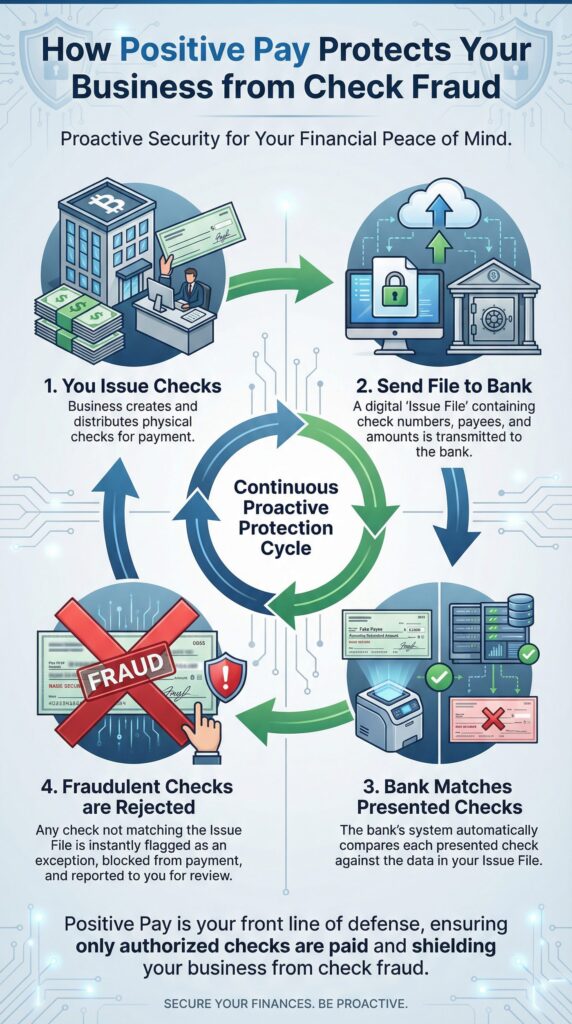
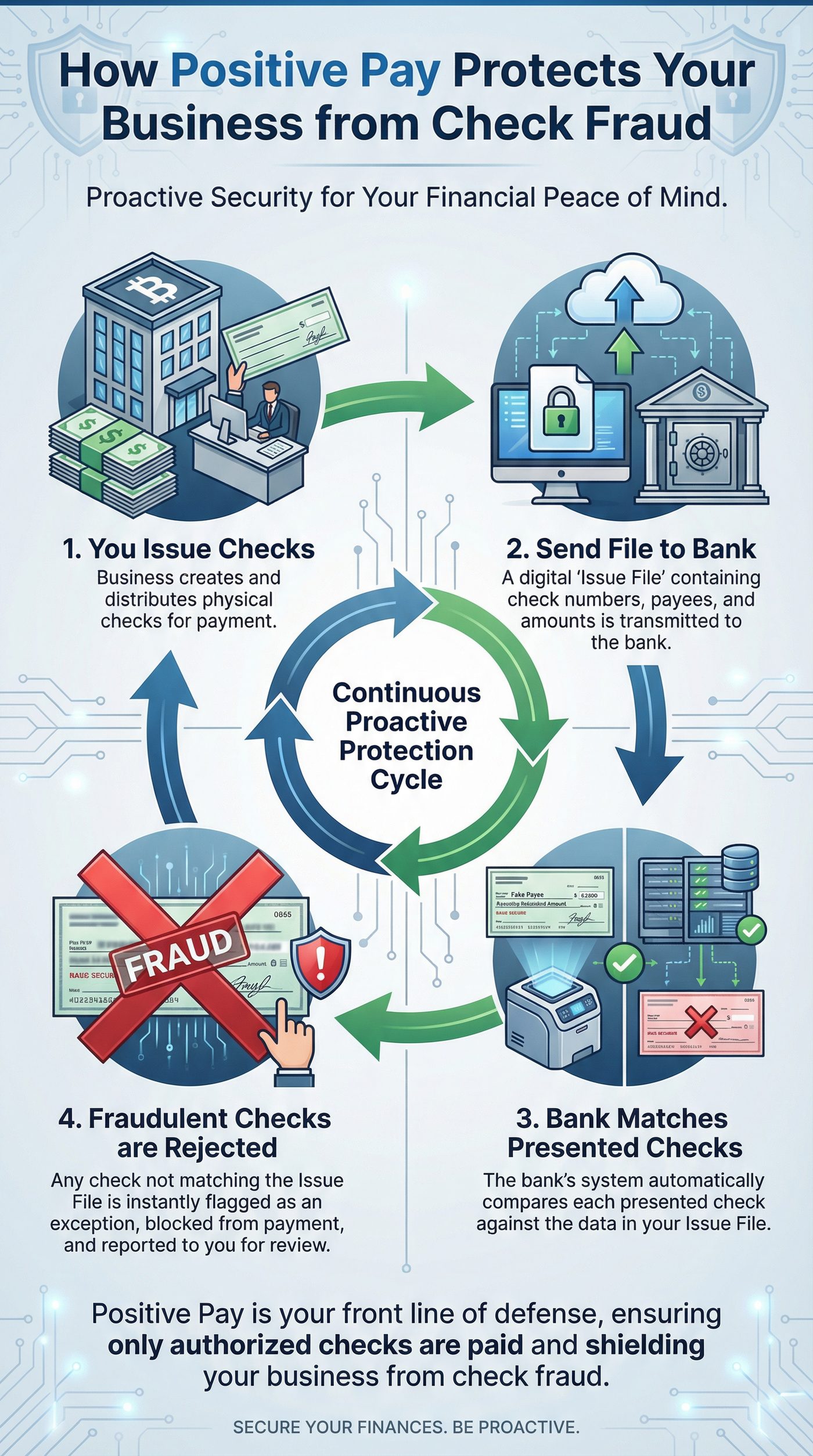
The process creates a continuous cycle of protection that makes it nearly impossible for counterfeit or altered checks to be cashed.
Step 1: You Issue Checks and Generate a File
As you run your normal accounts payable process, your check printing software will simultaneously create a special “issue file.” This is a simple text file that contains the key details of every check you print: the check number, the issue date, the exact dollar amount, and often the payee name.
Step 2: You Transmit the Issue File to Your Bank
Each day that you issue checks, you will upload this issue file to your bank through their online banking portal. This provides the bank with a definitive record of all authorized checks for that day.
Step 3: The Bank Matches Checks Presented for Payment
As checks are presented to your bank for payment (whether at a teller window, an ATM, or through another bank), the bank’s automated system compares each check against the information in your issue file. The system checks if the check number and dollar amount match a record in your file exactly.
Step 4: Mismatched Checks are Flagged as Exceptions
If a check is presented where the check number or dollar amount does not match a record in your issue file, the bank does not pay it. Instead, it flags the item as a “Positive Pay exception.” You will be notified of the exception (typically by email) and can log in to your banking portal to see an image of the fraudulent check. You can then instruct the bank to either pay or return the item. In cases of fraud, you will always choose to return it.
This process effectively stops:
- Counterfeit Checks: Checks that were created by criminals with fake check numbers.
- Altered Checks: Legitimate checks that were stolen and had the payee or dollar amount changed.
How MultiCHAX Simplifies Positive Pay
While Positive Pay is a bank service, your check printing software plays a critical role in making it easy to implement. Manually creating an issue file every day would be a tedious and error-prone task.
MultiCHAX automates this entire process.
When you print a batch of checks using MultiCHAX, the software can be configured to automatically generate the Positive Pay issue file in the exact format required by your specific bank. All you have to do is upload that file to your bank. This seamless integration transforms Positive Pay from a complex process into a simple, daily routine.
Is Positive Pay Right for Your Business?
If your business issues more than a few dozen checks per month, the answer is an unequivocal yes. The cost of the service (which is often a nominal monthly fee from the bank) is negligible compared to the potential loss from a single fraudulent check. A single five-figure fraudulent check could be devastating to a small business, and Positive Pay is the most effective insurance against that risk.
Talk to your commercial banker today about adding Positive Pay service to your business checking account. Then, leverage the power of MultiCHAX to make its implementation effortless.
Protect your business from check fraud. Learn more about the security features of MultiCHAX.
References
[1] 2025 AFP Payments Fraud and Control Survey Report. Association for Financial Professionals. Available at: https://www.financialprofessionals.org/training-resources/resources/survey-research-economic-data/details/payments-fraud”’)))))}])
“))ede a professional, bank-compliant check.
Microsoft Dynamics (GP, NAV, 365)
For businesses running on the Microsoft Dynamics platform (including older versions like Great Plains and Navision, as well as modern Dynamics 365), MultiCHAX is a cost-effective alternative to more complex and expensive check printing add-ons. By printing your payment runs to the MultiCHAX virtual printer, you can easily create checks from multiple bank accounts without expensive customizations to your ERP system.
Sage 100, 300, and other ERPs
Just as with Sage 50, MultiCHAX integrates smoothly with higher-end Sage ERP platforms like Sage 100 and Sage 300. The virtual printer method allows you to bypass the often-rigid check format constraints within these larger systems, giving you full control over your check design and layout.
Even Microsoft Excel!
Do you have a unique payment scenario where you need to generate checks from a simple spreadsheet? MultiCHAX can do that too. If you can format a list of payments in Excel, you can print it to the MultiCHAX Virtual Printer. Our software can be configured to read the columns in your spreadsheet and map them to the correct fields on the check, allowing you to turn a simple Excel sheet into a powerful check run tool.
The Universal Check Printing Solution
The beauty of MultiCHAX is its simplicity and universality. You don’t need a custom API or a complex integration for every piece of software you use. If your accounting program can print, it can work with MultiCHAX.
This makes MultiCHAX an incredibly versatile tool for:
- Accountants and Bookkeepers: Use one check printing tool across all your clients, regardless of whether they use QuickBooks, Sage, Quicken, or another program.
- Businesses with Legacy Software: Still running an older, but reliable, accounting system? As long as it can print, MultiCHAX can extend its life and modernize its payment capabilities.
- Companies with Custom-Built Systems: If you have a proprietary, in-house accounting system, the MultiCHAX Virtual Printer is the easiest way to add secure check printing functionality.
Don’t See Your Software Listed?
If your accounting software isn’t mentioned here, don’t worry. The best way to confirm compatibility is to try it for yourself. The MultiCHAX free trial is fully-featured and allows you to test the integration with your specific accounting platform.
Download the free trial today and see how MultiCHAX can connect with the tools you already use to save you time and money.