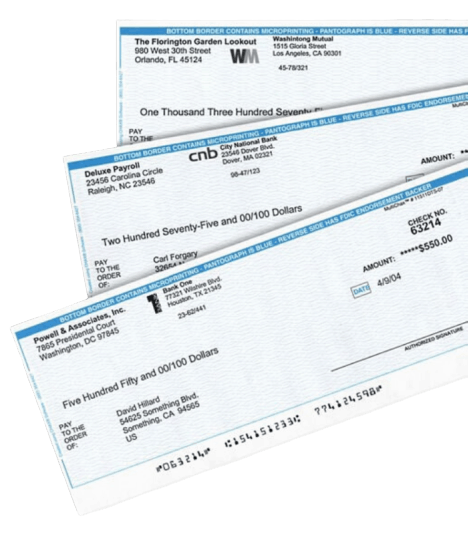
Check Printing Software by MultiCHAX®
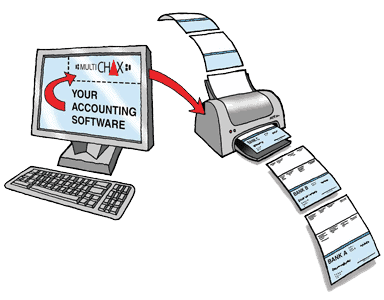
What is MultiCHAX Check Printing Software?
MultiCHAX is a check printing software that works with existing financial software, allowing any business to produce checks from their computers on blank check stock. MultiCHAX allows the user to print MICR encoded checks in a single step on any check form. You no longer need to stock multiple forms for different bank accounts. Read about why it’s better to use blank checks than pre-printed checks.
Who can use MultiCHAX?
MultiCHAX’s unique feature is its ability to handle multiple accounts without switching check stock. Any business that uses computerized accounting software systems can print MultiCHAX checks from their computers. MultiCHAX – check printing software has the capability to work with low, middle, and large-scale software programs, including QuickBooks, QuickBooks Online, Sage 50 (Peachtree), MAS 90, Great Plains, and more.
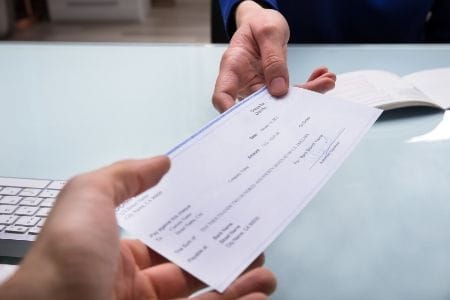
Why print your own checks using check printing software?
The technology of printing your own checks is more cost-effective than traditional check issuing systems, and it provides better security control and disbursement flexibility. The technology involves the integration of laser printing, customized software, and electronic forms as well as magnetic ink character recognition (MICR).
For multi-account and/or multi-company applications, MultiCHAX can automatically select the correct company, bank, and account information.
What are the benefits of blank check stock?
Blank check stock is more secure and significantly cheaper than pre-printed checks. Since blank checks do not have any bank information on the check face, they are essentially worthless to would-be thieves. MultiCHAX will manage all the bank account information in one place, allowing you to stock only a single check form instead of having to store many different checks for multiple bank accounts at once.

MultiCHAX Check Printing Software Features
Create unlimited checks with no extra fee
Unlike some check printing software products in the market, we do not charge any extra fees. You can also use any standard blank check stock you wish. Use with multiple bank accounts and company files.
Failsafe operation
Eliminate human errors by configuring MultiCHAX to automatically select the correct bank account. Never again inadvertently print a check on a form for the
wrong bank account.
You control the appearance of your checks
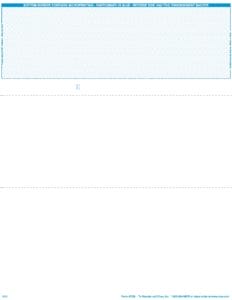
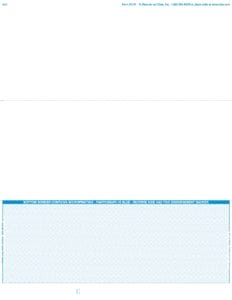
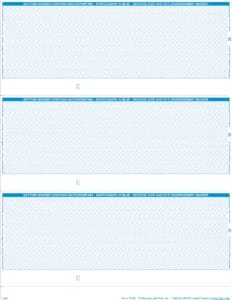
You can choose where to place many of the printable items on your check. Also, you can choose top, bottom, middle, Z-fold, or 3-per-page check sheet styles regardless of your accounting software. Print logos, signatures, even add overlays.
Multi-user capable with built-in security feature
Record level locking is built-in, so that important information can be shared on a network with simultaneous user access. All files are encrypted and password protected. Users can be granted separate access rights to certain banks, limit a maximum printed dollar amount, disable printing of blank checks or deposit tickets.
Awesome Features.
Please watch this short video to see the great features and benefits of MultiCHAX.
DOWNLOAD NOWStarter
$129
Per license
MAX 2 CONTROLS / TEMPLATES
USE WITH 5 BANK ACCOUNTS
USE WITH QUICKBOOKS
USE WITH SAGE 50
SEMI-AUTO / MANUAL BANK SELECTION
30 DAYS FREE PHONE SUPPORT
BUY IT NOWProfessional
$199
Per license
MAX 2 CONTROLS / TEMPLATES
USE WITH 999 BANK ACCOUNTS
USE WITH QUICKBOOKS
USE WITH SAGE 50
SEMI-AUTO / MANUAL BANK SELECTION
30 DAYS FREE PHONE SUPPORT
BUY IT NOWUltimate
$299
Per license
UNLIMITED CONTROLS / TEMPLATES
UNLIMITED BANK ACCOUNTS
USE WITH QUICKBOOKS
USE WITH SAGE 50
AUTOMATIC / SEMI-AUTO / MANUAL BANK SELECTION
1 YEAR FREE PHONE SUPPORT
BUY IT NOWMultiCHAX Check Printing Software is available to try before you buy
See why companies prefer to print their own checks with MultiCHAX.
Testimonials
Check out what our clients say.
Your support is what sold me on your product. I demoed a different product that would have been less expensive but the support was very frustrating, always waiting for return calls and talking me through what to do. The fact that you answer the calls and hop on my machine and make everything effortless sold me on your product. I have talked to 3 different support people through this process and everyone has given me stellar service. Kudos to your company, I would highly recommend it to associates!
The agent was able to direct me to what needed to be fixed quickly and easily and had the program up and running with signature in just a few minutes! I use MultiCHAX to aid me in working remotely with several clients. It makes life immensely easier and less expensive than preprinted checks. Thank you.
It was a wonderful time working with John. His technical [support] is perfect. I am confident with using MultiCHAX software now. With his enthusiastic support and this useful software, I will recommend my friends try and use it. Thank you.
Amazing experience as always with calling this company. Everyone is so very helpful and will walk through with me what needs to be done. The customer service with this company is beyond reproach and always available to assist with any situation.
MultiCHAX® Check Printing Software works great with these programs

MultiCHAX® works on many check styles
Use MultiCHAX with any standard check style: top, middle, bottom, 3-per-page, and Z-fold checks.