
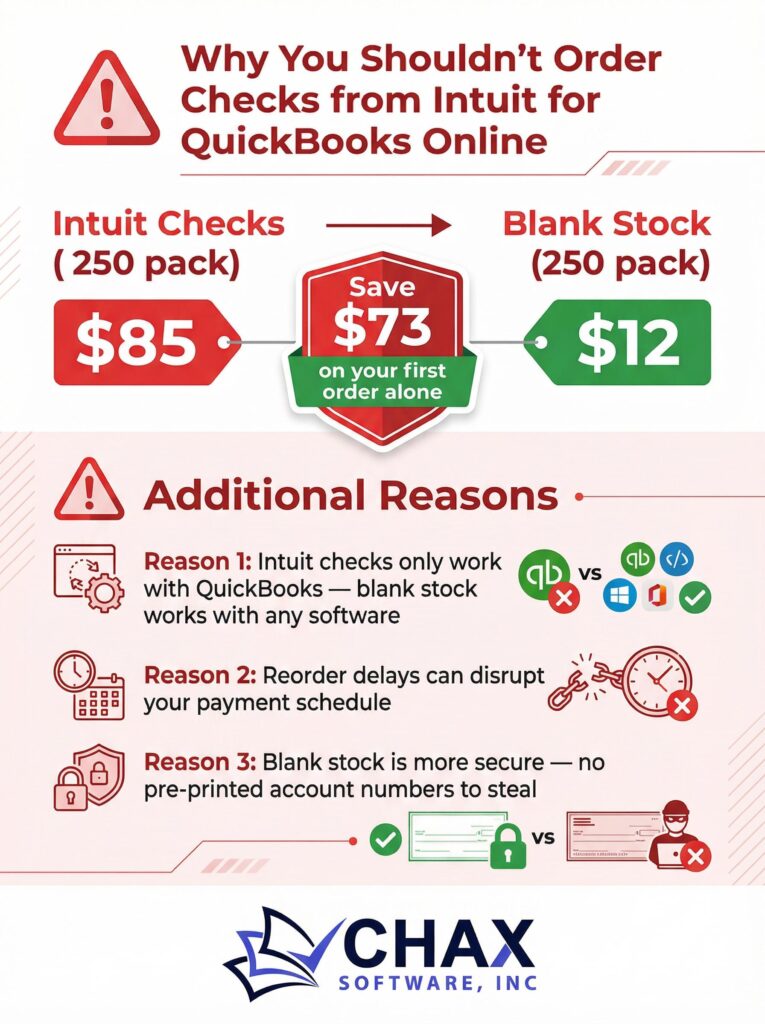
QuickBooks Online Checks: Why You Shouldn’t Order from Intuit
When you need to print checks from QuickBooks Online, the most obvious choice seems to be the one Intuit presents to you directly within the platform: ordering their own pre-printed, branded checks. It’s convenient, seamlessly integrated, and feels like the “official” way to do things. However, this convenience comes at a steep price, both in dollars and in security.
Before you click that “Order Checks” button, it’s crucial to understand why buying checks from Intuit is one of the least cost-effective and most insecure ways to manage your accounts payable.
The Exorbitant Cost of Convenience
The number one reason to avoid Intuit’s checks is the cost. Intuit charges a significant premium for their pre-printed check stock. As of early 2026, a standard order of 500 voucher checks can cost over $350, which works out to more than $0.70 per check. For businesses that issue hundreds or thousands of checks per year, this amounts to a substantial and completely avoidable expense.
Compare this to the cost of printing on blank check stock. A ream of 1000 high-security blank checks costs around $80, or $0.08 per check. Even after factoring in the cost of MICR toner and a one-time software purchase like MultiCHAX, the long-term cost per check is typically less than $0.15. That’s a saving of over 75% on every single check you print.
The Glaring Security Flaw
Beyond the cost, there is a major security risk inherent in using pre-printed checks. Every check in that box has your company’s name, address, bank logo, and—most importantly—your bank account and routing numbers printed on it. They are essentially blank checks waiting for a signature.
If a box of these checks is stolen from your office, lost in transit, or intercepted by a malicious actor, your bank account is immediately vulnerable to fraud. A criminal can easily forge a signature and start writing fraudulent checks, potentially draining your account.
With blank check stock, this risk is virtually eliminated. The paper is worthless until the moment you print it. Your account information is only added at the time of printing, meaning you never have stacks of live, vulnerable checks lying around your office.
The Inefficiency of Multiple Accounts
Does your business operate with multiple bank accounts? Perhaps a general operating account, a payroll account, and a separate account for a different division. With Intuit’s pre-printed checks, you would need to order, store, and manage a separate, expensive checkbook for each account.
This is not only costly but also highly inefficient. It complicates your inventory management and increases the chance of printing a check from the wrong account.
A proper check printing software solution allows you to store unlimited bank account profiles. You can switch between them with a single click, using the same stack of blank check stock for every account. This simplifies your entire workflow, reduces errors, and saves space.
The Smarter Alternative
Instead of locking yourself into Intuit’s expensive and insecure ecosystem, the smarter choice is to take control of your own check printing process. By combining the power of QuickBooks Online with a dedicated QuickBooks check printing software and blank check stock, you can create a system that is:
- More Affordable: Drastically reduce your check printing costs.
- More Secure: Protect your sensitive banking information.
- More Efficient: Streamline the management of multiple bank accounts.
Don’t pay the high price for Intuit’s convenience. Invest in a solution that offers flexibility, security, and significant long-term savings.